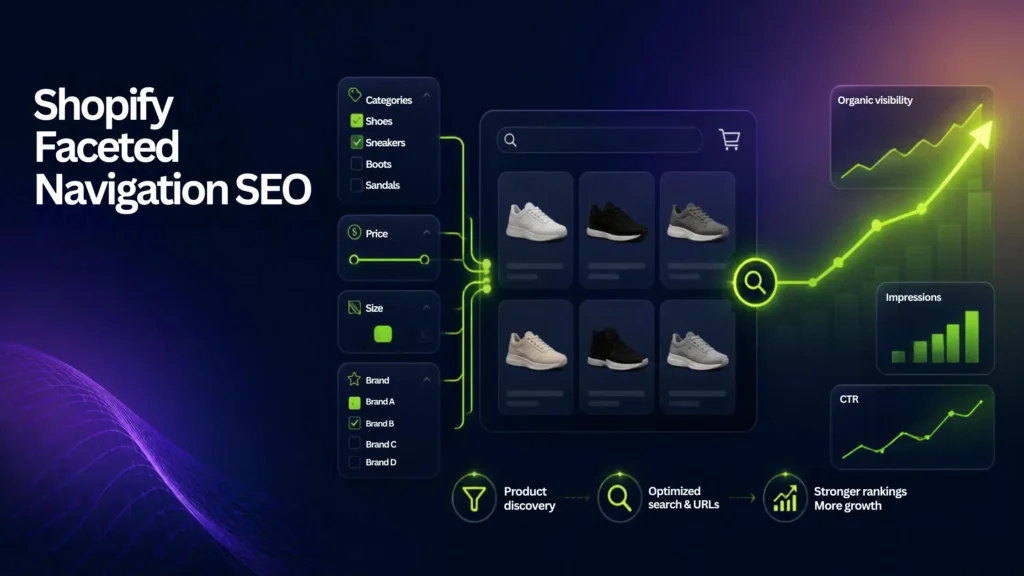
Shopify faceted navigation SEO controls how filter query parameters behave in search. Proper URL management prevents crawl waste, consolidates indexation signals via robots.txt.liquid and canonical tags, and turns high-demand search filters into indexable revenue pages.
Shopify faceted navigation SEO determines how search engines crawl, consolidate, and index the filter URLs created when shoppers narrow products by attributes such as color, size, price, or brand.
Faceted navigation improves the shopping experience, but a large number of filter combinations can create unnecessary URLs. This can make crawling less efficient and make it harder for search engines to identify your most important collection and product pages.
This guide explains how Shopify’s native Search & Discovery filters work, which filter URLs need attention, when to use canonical tags or robots.txt, and when a high-value filter should become a dedicated collection page.
What is Shopify Faceted Navigation?
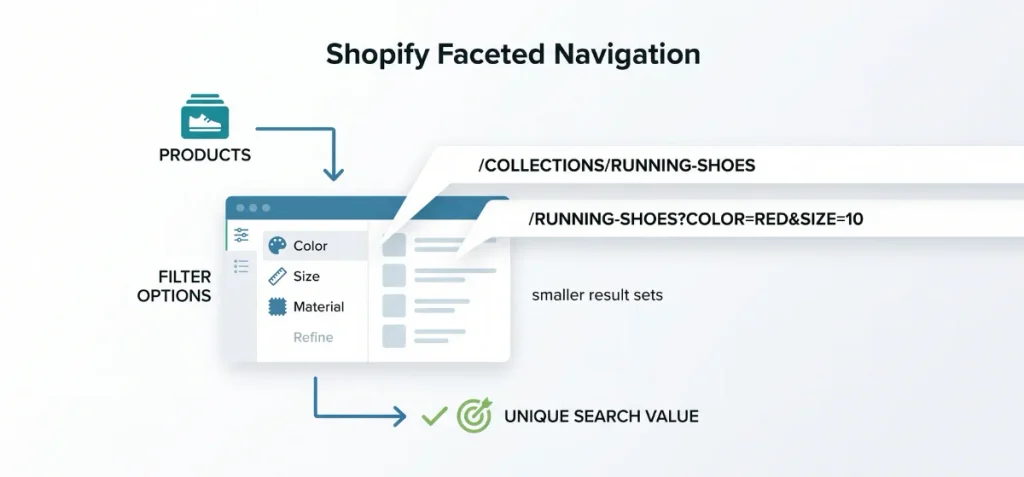
Faceted navigation is an interactive filtering system. Shoppers use facets to refine broad product categories into smaller result sets based on specific attributes. Common facets Shopify merchants use include the following:
- Variant Options: Color, size, and material.
- Product Traits: Brand, product type, and availability.
- Price Ranges: Custom minimum and maximum price thresholds.
Shopify powers native storefront filtering through its Search & Discovery app. Every time a user selects a filter option, the storefront updates the view dynamically and appends specific parameters to the main URL.
Shopify Faceted Navigation SEO Example
A Shopify collection can generate different URLs as shoppers apply filters. For example:
- Base collection: /collections/running-shoes
- Filtered collection: /collections/running-shoes?filter.v.option.color=red
- Multiple filters: /collections/running-shoes?filter.v.option.color=red&filter.v.option.size=10
The exact parameter format can vary by filter type and Shopify’s current storefront implementation, so inspect the URLs generated by your own store before creating crawl or indexation rules.
The important SEO question is not whether a filter URL exists. It is whether that URL provides enough unique search value to deserve crawling, indexing, and ranking.
Why Faceted Navigation Can Hurt Shopify SEO
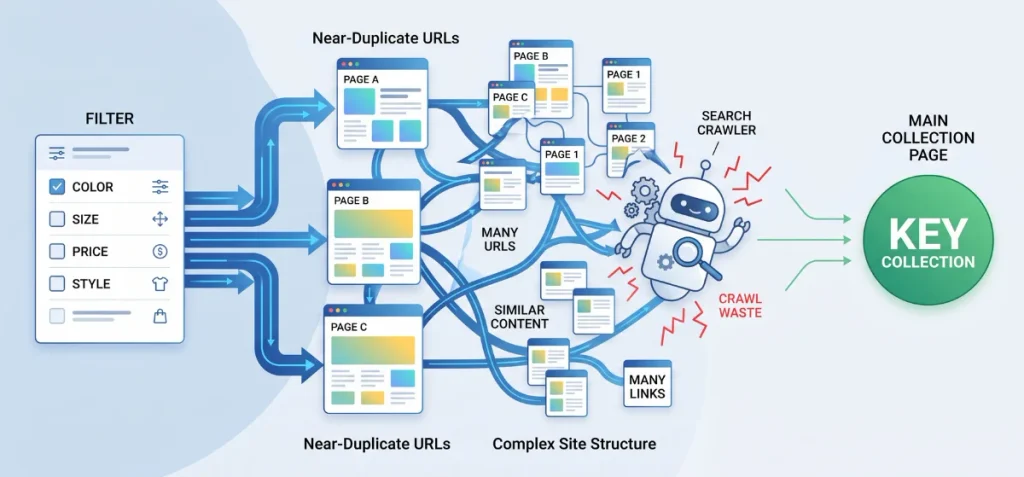
Faceted navigation is not inherently bad for SEO. The problem starts when a store creates large numbers of filter combinations that provide little or no search value.
1. Crawl Waste
A large faceted URL space can cause search engines to spend time fetching combinations that users rarely search for. Google specifically identifies faceted navigation as a potential source of excessive crawling.
2. Near-Duplicate URLs
Different filter combinations can produce pages with very similar product sets and content. This can make it harder for search engines to determine which URL should represent the underlying collection.
3. A More Complicated Site Structure
If your site links extensively to low-value filter URLs, search engines have more URL variations to process and understand. Keep your strongest internal links focused on important collection, category, and product pages.
Important: Faceted navigation should not be described as a “duplicate content penalty.” The main SEO concerns are URL proliferation, inefficient crawling, consolidation, and deciding which pages actually deserve to rank.
How Shopify Handles Faceted Navigation by Default
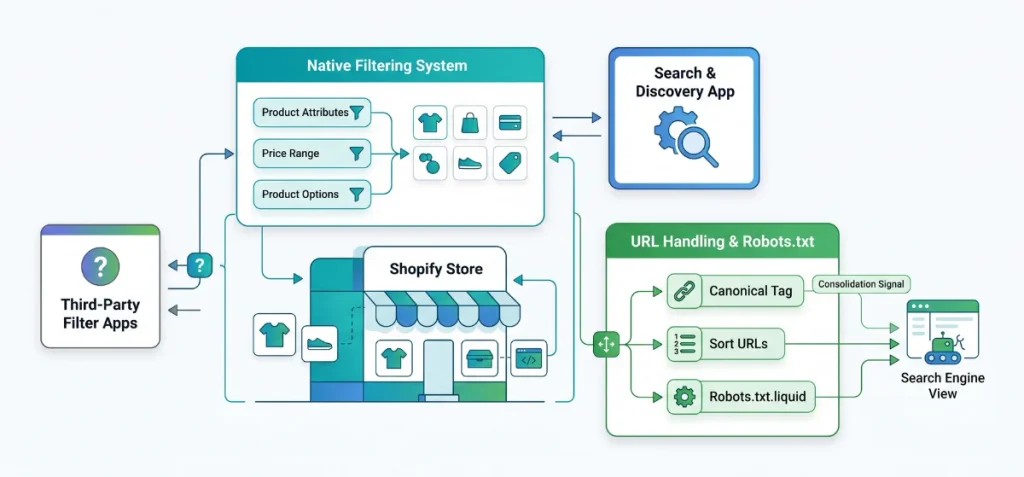
Shopify provides native storefront filtering through the Search & Discovery app, so merchants do not need to build a faceted navigation system from scratch. Filters can use product attributes, options, and other supported data to help shoppers narrow collection and search results.
Canonical Behavior
Shopify themes can output canonical URLs that help search engines identify the preferred version of a page. A canonical is a signal for URL consolidation, not a way to prevent crawling.
Default robots.txt
Shopify automatically provides a robots.txt file for stores. Shopify says the default file is designed to work for most stores and is updated as the platform evolves.
Do not assume that every custom filter URL requires a new robots.txt rule. First, inspect the URLs your store actually generates and determine whether they create a real crawl or indexation problem.
Filter URL Parameters
Native Shopify filters can add query parameters to collection URLs. The exact parameters depend on the filter type and storefront implementation. Audit your own generated URLs rather than relying on a single URL pattern from another Shopify store.
Sort URLs
Sorting changes the order in which products appear but usually does not create a new search intent. These URLs generally should not become separate SEO landing pages.
Third-Party Filter Apps
Third-party filtering apps can introduce their own URL structures or rendering behavior. Check these URLs separately because Shopify’s native rules may not cover every implementation.
Customized robots.txt.liquid
Shopify allows merchants to customize robots.txt.liquid. Use this option selectively when your store generates unnecessary crawlable URL patterns that are not already handled by the default configuration. Preserve Shopify’s default rules when making custom changes.
Which Shopify Filter URLs Should Google Crawl?
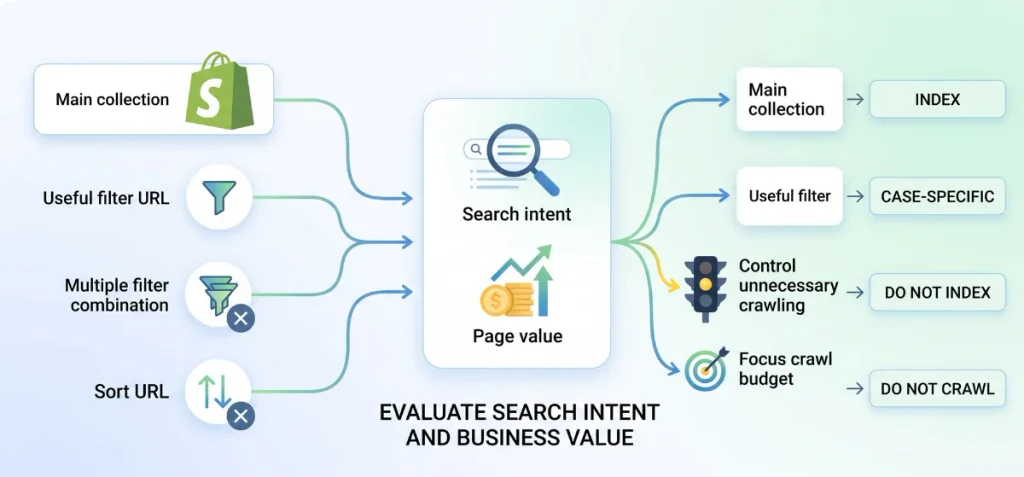
Do not decide whether a filter URL should be indexed based on the filter itself. Evaluate the search intent, page value, and purpose of the URL.
| Shopify URL | Crawl? | Index? | Recommended action |
| Main collection | Yes | Yes | Optimize as a primary landing page |
| Useful filter URL | Case-specific | Case-specific | Check search intent and business value |
| Multiple filter combination | Usually no | Usually no | Control unnecessary crawling |
| Sort URL | Usually no | No | Keep out of search-focused URL sets |
| Empty-result filter | No | No | Prevent it from becoming a search landing page |
| High-demand filter | Case-specific | Yes, as a dedicated page | Create a clean collection URL |
| Collection pagination | Usually yes | Case-specific | Do not blanket-block pagination |
The key principle is simple:
A filter does not become an SEO page just because shoppers can select it.
A filter combination should become a dedicated collection page when it matches a distinct search intent, has enough relevant products, and provides enough value to justify unique content and internal links.
For a broader technical SEO framework, see my Shopify Plus SEO guide.
Shopify Faceted Navigation SEO: Canonical vs Noindex vs Robots.txt
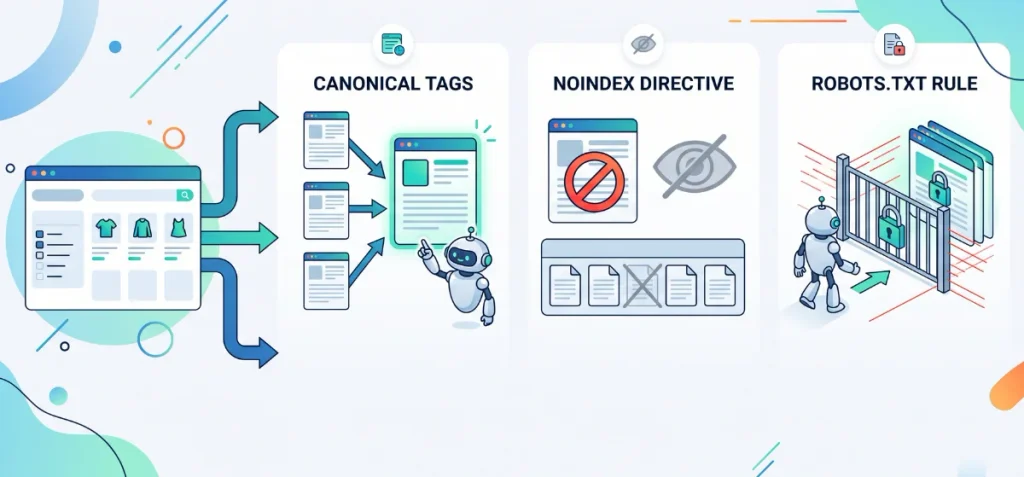
Canonical tags, noindex, and robots.txt solve different SEO problems.
Canonical Tags
A canonical tag tells Google which URL you consider the preferred version among duplicate or substantially similar URLs. It helps consolidate signals, but it does not prevent Googlebot from crawling the URL.
Noindex
A noindex directive tells search engines not to include a page in their search results. Google needs to crawl the page to see the directive, so noindex is not a crawl-control method.
Robots.txt
A robots.txt rule can prevent crawlers from fetching URLs that do not need to be crawled. Google specifically recommends crawl controls for faceted URLs that do not need to appear in Search.
Which One Should You Use?
Think about the objective:
- Need URL consolidation? Use a canonical.
- Need the page excluded from search results? Use noindex when the page remains crawlable.
- Need to reduce unnecessary crawling? Consider robots.txt.
Do not apply all three automatically. Choose the method based on what you want Google to do with that URL.
Already-Indexed Filter URLs
If an unwanted filter URL is already indexed and you plan to use noindex, Google needs to be able to crawl the URL and see that directive.
Blocking the URL in robots.txt first can prevent Google from seeing the noindex instruction.
For already-indexed URLs, handle indexation first and use crawl restrictions later when appropriate.
When Should a Shopify Filter Become a Real Collection Page?
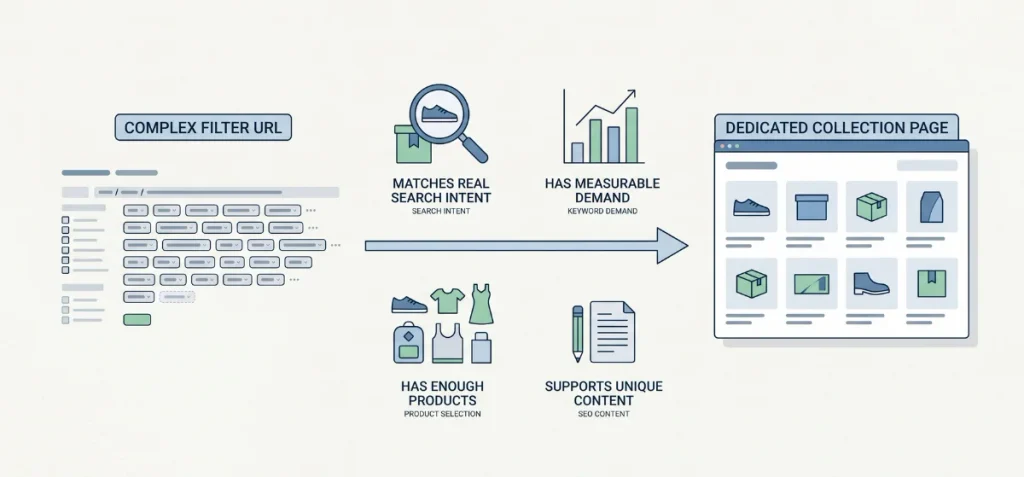
This is where faceted navigation can become an SEO opportunity rather than just a technical problem.
Do not try to rank a complex parameter URL such as:
/collections/shoes?color=black&size=10
Instead, create a clean collection page when the underlying search intent deserves a dedicated landing page:
/collections/black-running-shoes
A filter combination is a strong candidate when it:
- Matches real search intent: People search for the product combination.
- Has measurable demand: Keyword research shows meaningful demand.
- Has enough products: The collection provides a useful selection.
- Supports unique content: You can create a distinct title, H1, copy, metadata, and internal links.
- Fits your taxonomy: The page makes sense within your store’s category structure.
Once you create a dedicated collection page, optimize its copy for both search engines and shoppers with my Shopify SEO Word Counter and SEO Content Optimizer.
How to Audit Shopify Faceted Navigation SEO
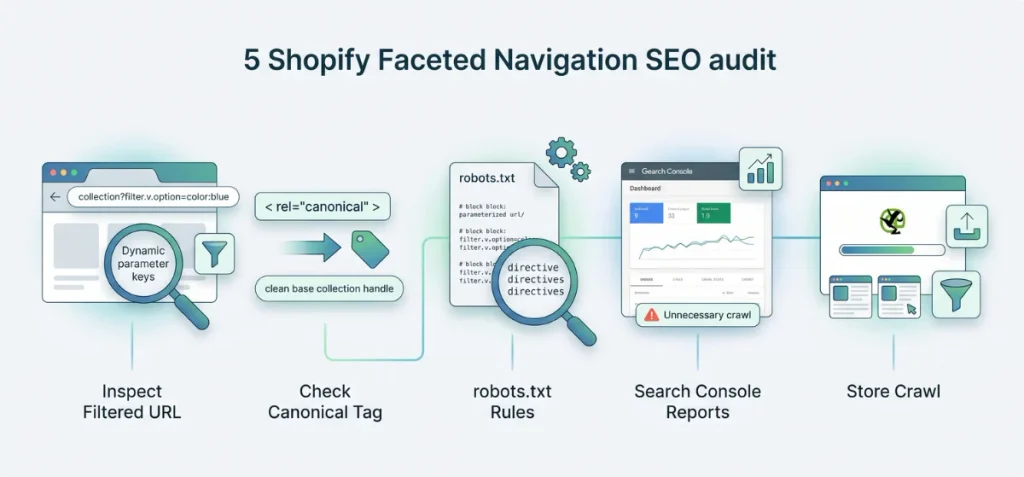
A simple technical audit keeps filter paths clean and stops index bloat early. Follow these five steps to audit your store:
- Inspect a Filtered URL: Visit a core collection page, pick two or three filter options, and check the address bar.
Look for dynamic parameter keys like ?filter.v.option or ?sort_by.
- Check the Canonical Tag: Right-click the page, click “View Page Source,” and find the rel=”canonical” tag.
Confirm that the tag points back to your clean base collection handle rather than the parameterized URL. - Check Your /robots.txt File: Type (https://yourstore.com/robots.txt) into your browser address bar. Check for existing rules that block filter stacks or sort strings.
Remember that Shopify supports custom rules directly inside your robots.txt.liquid template. - Check Google Search Console: Open the Page Indexing and Crawl Stats reports inside Google Search Console.
Look for unmanaged parameter URLs in the indexed pages list to identify wasted crawl budget. - Crawl the Store: Run your store URL through Screaming Frog or Ahrefs. Filter your crawl export for parameter strings to spot unwanted URL loops, missing canonicals, or unindexed filter paths.
Large stores with thousands of filter URLs may need a deeper technical review. See my Shopify SEO services to learn how I approach technical and content SEO for e-commerce stores.
Common Shopify Faceted Navigation SEO Mistakes
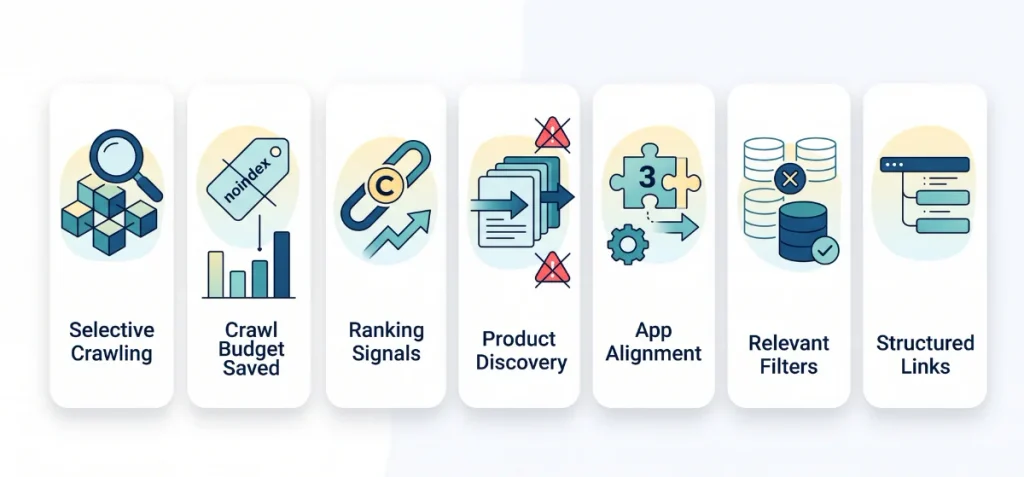
Avoid these frequent mistakes to keep parameter paths under control:
- Do not block every query parameter: Restricting all parameter strings stops helpful search crawlers from discovering high-value filter variations.
- Avoid automatic noindex tags: If you add noindex tags across thousands of filter variations, your crawl budget vanishes because bots must fetch every page first.
- Do not treat canonical tags as crawl control: Canonical tags pass ranking signals, but they never stop Googlebot from crawling URLs.
- Watch out for accidental pagination blocks: Disallow rules on ?page= strings trap deep catalog inventory inside unvisited pages.
- Stop third-party app parameter leaks: External filter apps often create custom parameter keys that ignore your theme’s canonical rules.
- Skip indexable filters without search demand: Standalone URLs for low-volume filter combinations dilute your overall collection authority.
- Limit internal links to filter URLs: Dynamic filter links inside main navigation menus spread internal link equity across temporary pages.
- Do not rely solely on default robots.txt rules: Shopify’s default robots.txt file targets legacy tag paths, like /collections/shoes/red+nike.
Modern Online Store 2.0 themes use query strings like “?filter.v.option.color=Red” instead.
Default rules do not catch all modern parameter strings, so you must add custom directives to your robots.txt.liquid template.
Shopify Faceted Navigation SEO Best Practices
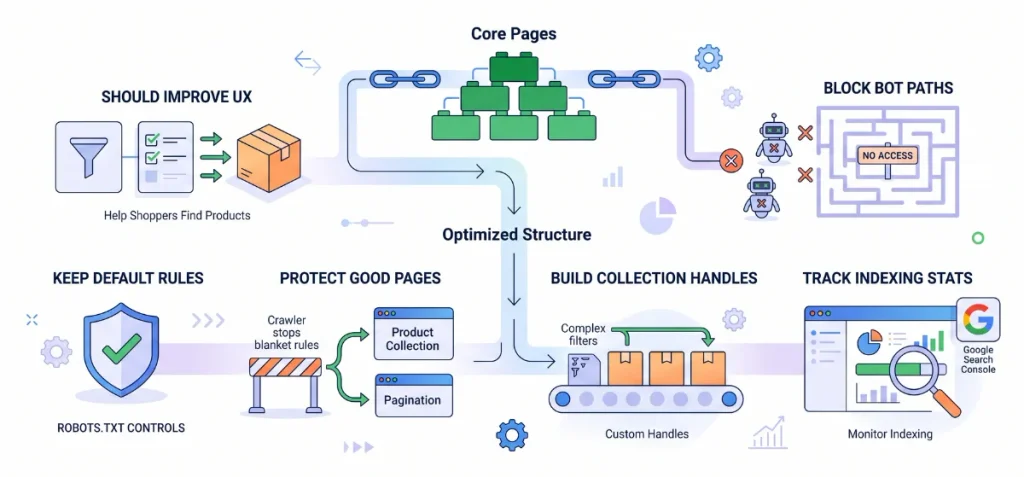
Follow these six simple rules to optimize your store’s filter paths while keeping search engines focused on your core pages:
- Keep filters useful for shoppers: Set up your filters for user experience first. Let shoppers find products fast without worrying about creating endless SEO landing pages.
- Control useless URL combinations: Restrict search bots from fetching deep filter combinations that carry zero search volume.
- Preserve default Shopify rules: Keep Shopify’s default crawl setup intact. Modify your robots.txt.liquid template only when you need custom parameter controls.
- Protect legitimate store URLs: Avoid blanket rules that block every parameter string at once.
Broad blocks can accidentally trap pagination links and single-filter pages that help crawlers discover your products. - Build dedicated collections for high search demand: Turn popular filter combinations into clean, standalone collection handles with custom meta tags and targeted internal links.
- Track crawl stats after updates: Use Google Search Console to monitor page indexing and verify that crawlers spend their budget on revenue-generating pages.
Internal links anchor your site structure. Connect your main menu navigation directly to high-demand category handles so Googlebot understands which pages drive your business.
My Concluding Thoughts
Shopify faceted navigation SEO is not about removing filters from your store. It is about controlling which filter URLs deserve attention from search engines.
Keep useful filters for shoppers, audit the URLs they generate, and avoid blanket crawl or indexation rules. Use canonical tags when you need URL consolidation, noindex when a crawlable page should stay out of search results, and robots.txt when you need to reduce unnecessary crawling.
Most importantly, use search data to identify filters that deserve something better than a parameter URL. Turn those opportunities into dedicated Shopify collection pages with unique content, products, and internal links.
FAQs
Does Shopify Have SEO Built In?
Yes, Shopify includes basic SEO features like automatic sitemaps, SSL, and canonical tags. You can edit meta tags and URL handles, but custom content strategy remains your job.
What Are the Best SEO Tools for Shopify?
TinySEO (TinyIMG) is the best overall app for image compression and site speed. Pair it with free tools like Google Search Console to track your actual rankings.
Can ChatGPT Do SEO?
ChatGPT can’t run SEO on its own. It assists with keyword ideas, meta tags, and code snippets. However, you still need human oversight for strategy and real-time data.