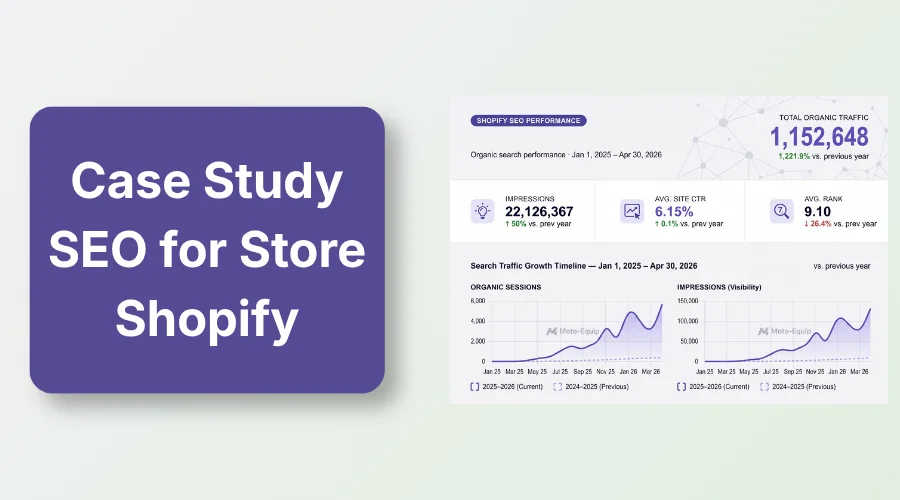
To get Shopify to rank for keywords, first find relevant search terms, match each keyword to the right Shopify page, then optimize the page’s content, title, URL, internal links, and other SEO elements. Also, monitor Google Search Console and improve pages based on their actual search performance.
Store owners often wonder how to get Shopify to rank for keywords when products sit unseen on search engines.
Zero search traffic means zero sales, forcing you to spend money on rising ad costs every day.
This simple guide shows you the exact steps to fix your store rankings. Ahead, you’ll learn how to find search terms, map pages, fix technical issues, and track your ranking progress.
How to Get Shopify to Rank for Keywords
Here’s what this section talks about:
- Find keywords your Shopify customers actually search
- Match each keyword to the right Shopify page
- Optimize the page for the keyword
- Build supporting content and internal links
- Improve authority and technical SEO
- Monitor rankings and update pages
1. Find Keywords Your Shopify Customers Actually Search
Smart keyword research turns casual searchers into paying store customers. Here’s how to smartly find keywords.
Start With Shopify Keyword Research
Focus on keyword themes that align with your inventory. Map your niche across these essential categories:
- Product and category seed terms: Direct names of items you sell.
- Customer problems and use cases: Specific solutions buyers look for online.
- Long-tail keywords: Multi-word phrases with clear intent and lower competition.
- Commercial and transactional terms: Words like buy, best, cost, or deals.
- Competitor keywords: Search terms driving sales for rival stores.
Use Google Keyword Planner and Google Search Data
Free tools give you direct data on customer demand and existing site performance:
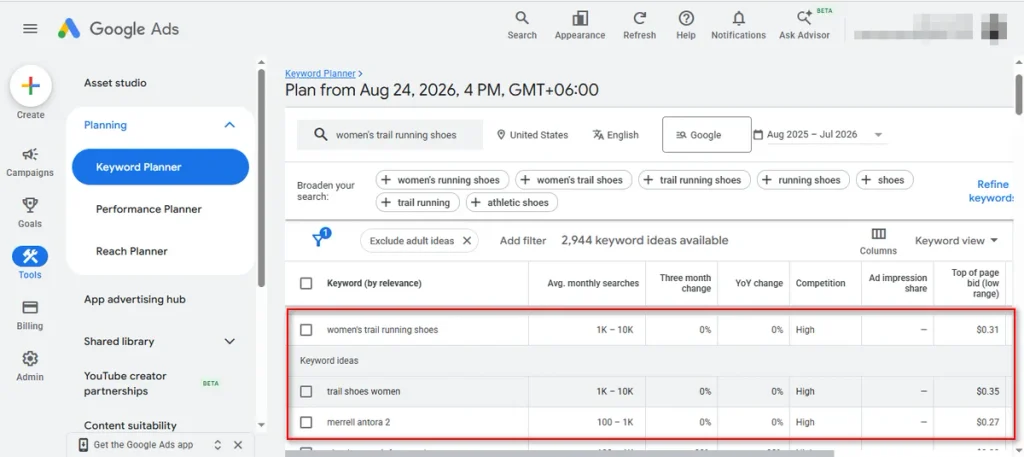
- Google Keyword Planner: Uncover monthly search volume and fresh product ideas.
- Google Search Console: Spot queries, impressions, and clicks your site already earns.
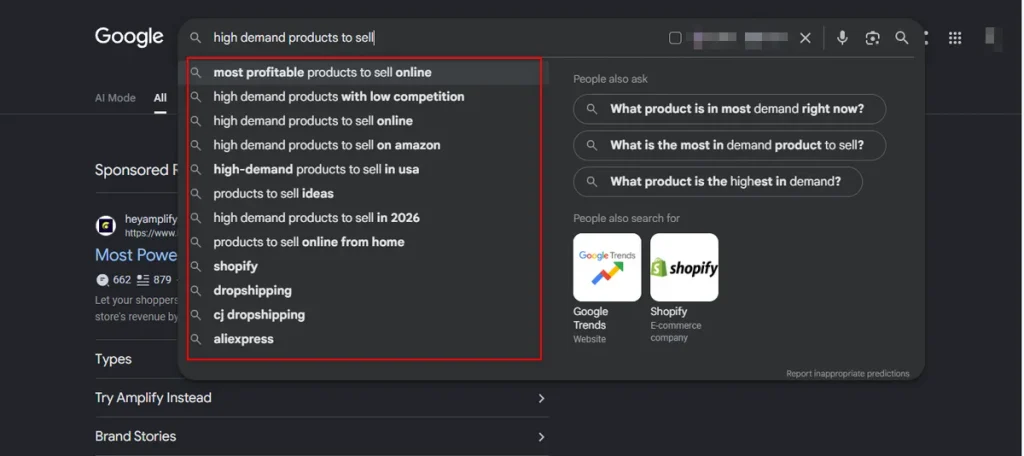
- Google autocomplete and People Also Ask: Find real question variations shoppers type daily.
- Competitor keyword gap analysis: Locate valuable keywords your rivals rank for that you miss.
High search volume means nothing if the searcher has no interest in buying. Prioritize customer intent and strict relevance over raw volume every single time.
2. Match Each Keyword to the Right Shopify Page
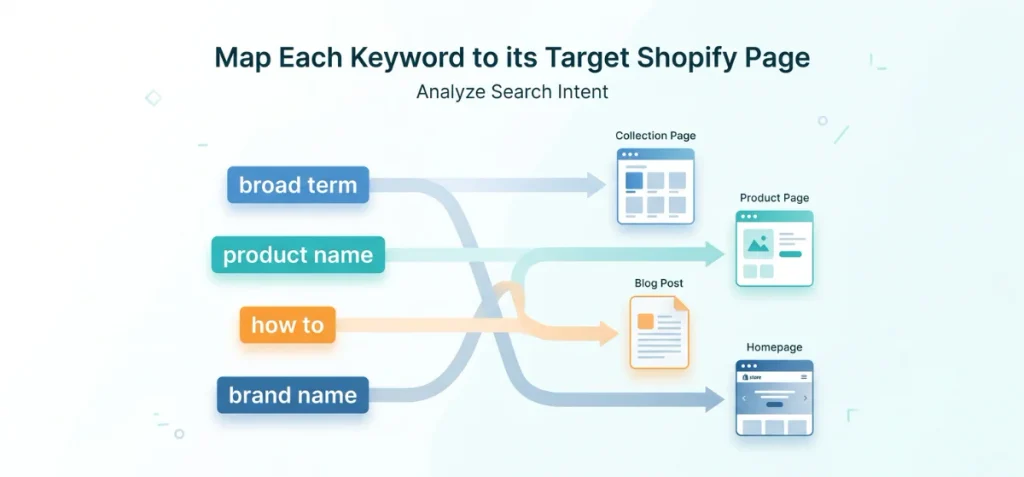
Correct page mapping connects ready buyers to the exact product they want.
Keyword Intent and Page Mapping
Search intent dictates which Shopify page format Google chooses to rank. Use this framework to map your terms:
| Search Term Type | Keyword Intent | Best Shopify Page |
| Broad product or category term | Commercial browsing | Collection page |
| Specific product name or model | High transactional | Product page |
| “Best,” “vs,” “how to,” or “guide” | Informational / Comparison | Blog post |
| Brand or store name | Navigational | Homepage |
Analyze the live Google search results before assigning a keyword. If collection pages occupy the top five results, a single product page will struggle to compete.
Give Every Important Keyword One Primary Page
Assign one primary keyword target to each page on your store. Multiple pages competing for the same search term trigger keyword cannibalization.
This structural mistake confuses search engines, splits ranking signals, and lowers overall position authority.
3. Optimize the Shopify Page for Its Target Keyword
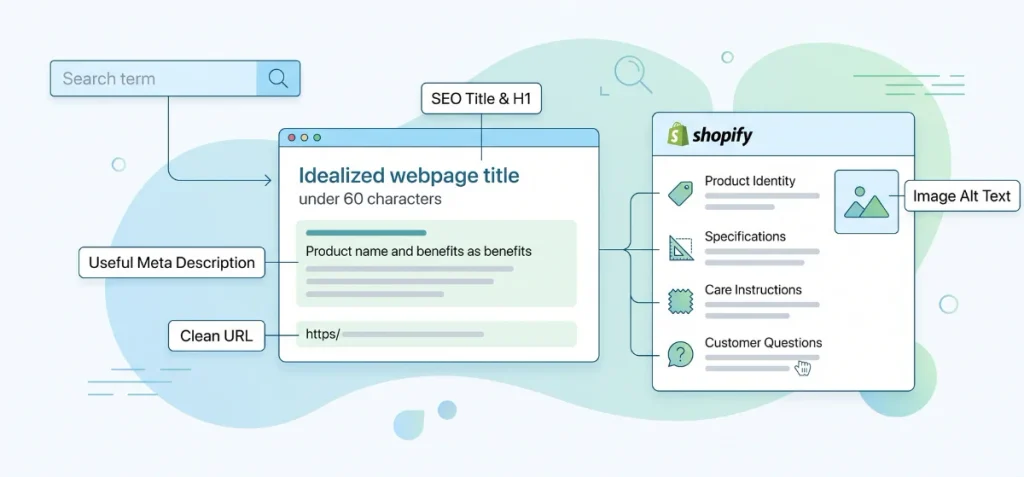
Strategic keyword placement helps Google understand your content without overwhelming human readers.
Optimize the SEO Title and H1
Place your primary keyword naturally near the beginning of both the SEO title tag and the main H1 heading.
Keep page titles under 60 characters so Google doesn’t cut them off in search results. Ensure the title matches the true intent behind the user’s search query.
Write a Useful Meta Description
Draft compelling meta descriptions under 155 characters that persuade searchers to click. Treat this text as an advertisement for your page rather than a place to stuff keywords.
Create a Clean URL
Keep the URL handle short, descriptive, and focused on your core search term. Avoid changing established, indexed URLs unless necessary, as URL changes reset existing rank history.
Improve the Page Content
Furnish product and collection pages with comprehensive, helpful information rather than thin text. Highlight these critical details:
- Product identity: State clearly what the item or category represents.
- Benefits and use cases: Explain how the product solves a specific buyer problem.
- Specifications: List dimensions, materials, care instructions, or technical details.
- Customer questions: Address common buyer hesitations directly on the page.
- Related terms: Include natural semantic variations of your target keyword.
Optimize Image Alt Text
Write descriptive alt text and optimize your product page copywriting to explain what appears in each product photo for visual accessibility.
Describe the actual image content accurately instead of repeating primary search terms mechanically.
4. Build Internal Links Around Your Target Keyword
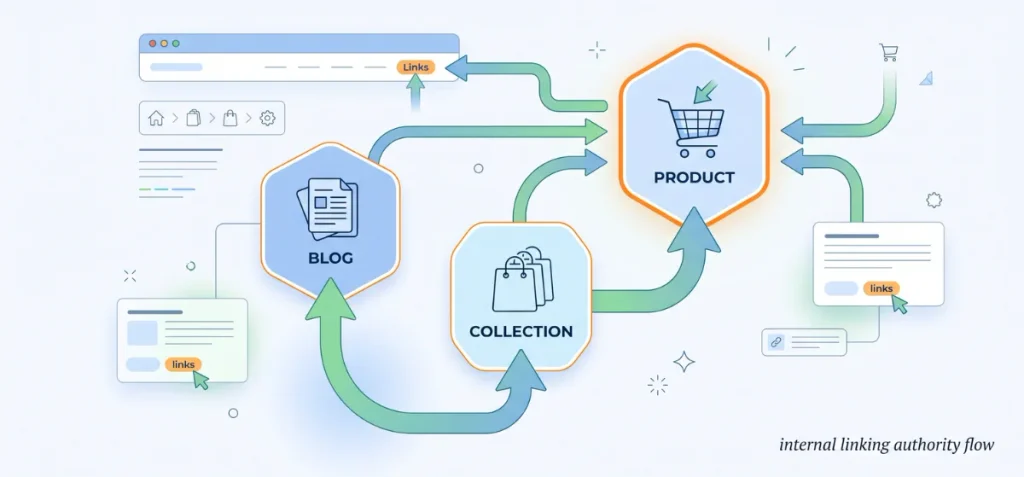
Internal links pass authority across your store and tell search engines which pages hold priority.
Connect Content with Purpose
Pass link equity upward through a clear visual structure. Follow this hierarchy to route search authority straight to your commercial pages:
Blog Post → Collection Page → Product Page
Reinforce these page relationships across your site with direct linking paths:
- Site navigation: Feature key collections in your main header menu.
- Breadcrumbs: Give users and search bots clear paths back to main category hubs.
- Contextual links: Insert text links inside blog posts to direct readers toward related products.
Use internal links to build up the main commercial page you want to rank for. Never build competing pages targeting the same search term.
5. Create Supporting Content That Builds Topical Relevance
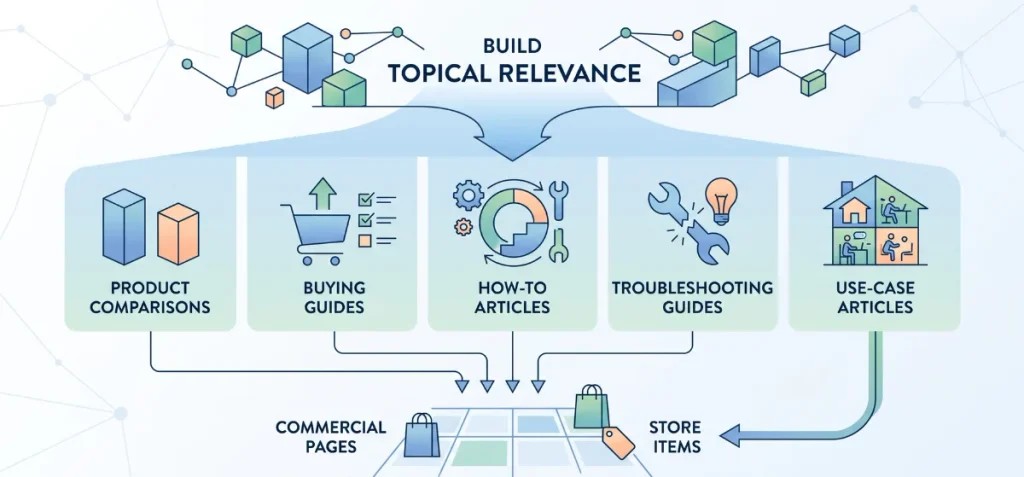
Targeted blog posts demonstrate niche authority and guide informed readers directly to your store items.
Support Commercial Pages with Blog Content
Publish informational content using specialized SEO content writing to address questions surrounding your main products. Route blog readers toward commercial pages using natural text links to drive store sales.
Cover these effective supporting content formats:
- Product comparisons: Side-by-side reviews comparing popular brand options.
- Buying guides: Detailed shopping advice for specific customer needs.
- How-to articles: Step-by-step solutions for common buyer problems.
- Troubleshooting guides: Helpful fixes for product performance issues.
- Use-case articles: Real-world examples showcasing item benefits in daily life.
- FAQ pages: Direct answers to top customer questions.
Build blog posts to support commercial collection pages, not just to collect casual traffic.
6. Fix the Shopify SEO Issues That Can Block Rankings
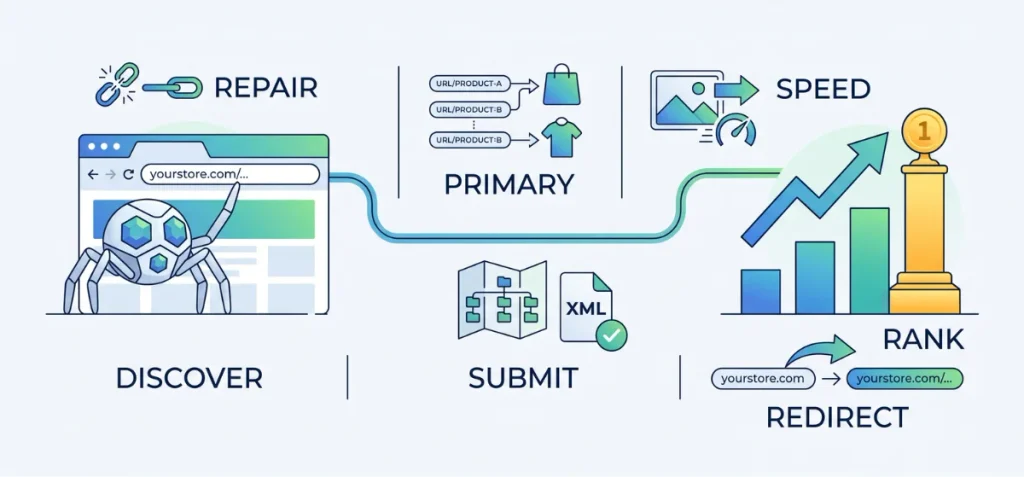
Technical obstacles can quietly prevent search engines from indexing and ranking your store pages.
Shopify Technical SEO Checklist
Resolve structural issues to ensure search engine crawlers discover, index, and rank your content efficiently:
- Verify page indexability: Confirm target pages don’t contain accidental noindex meta tags.
- Consolidate duplicate URLs: Point internal site links directly to primary product URLs (/products/product-name) rather than collection-nested URLs (/collections/category/products/product-name).
- Submit your sitemap: Link your Shopify XML sitemap ([yourstore.com/sitemap.xml](https://yourstore.com/sitemap.xml)) inside Google Search Console.
- Improve site navigation: Create clear header and footer link paths to main collection hubs.
- Maintain internal links: Audit and repair broken internal links regularly across product and blog descriptions.
- Optimize loading speed: Compress oversized images and uninstall unused store apps that slow down server response.
- Protect URL handles: Avoid changing established, indexed page URLs without setting up proper 301 redirects.
7. Track Which Keywords Are Moving and Improve the Pages
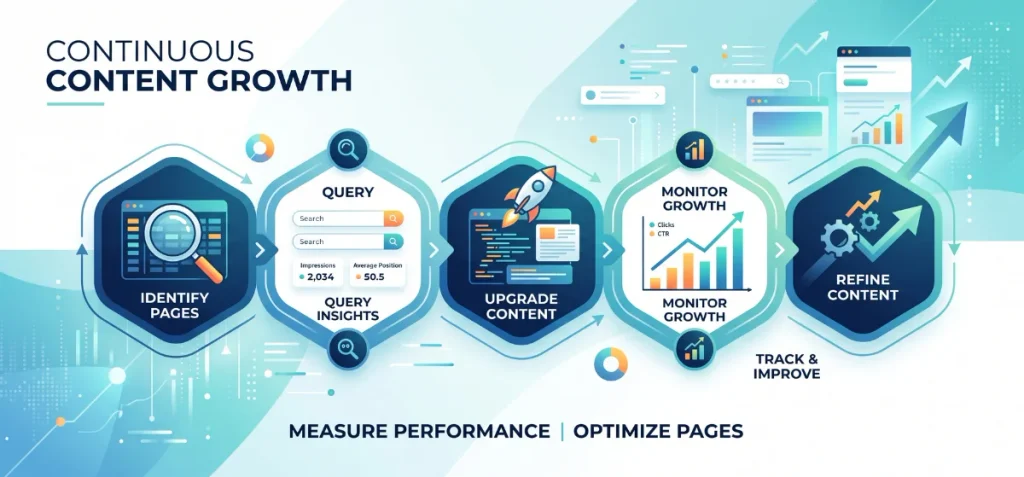
Continuous measurement lets you refine existing content and protect earned rankings over time.
Monitor Performance with Google Search Console
Google Search Console provides primary performance metrics for your store. Focus on these key signals:
- Impressions: Total views your page earns in search results.
- Clicks: Total searchers who click through to your store.
- CTR: Percentage of impressions that result in site visits.
- Average position: Main ranking spot for targeted queries.
- Queries: Specific words shoppers type to find your pages.
- Landing pages: Store URLs receiving organic search traffic.
Apply the Optimization Loop
Execute a routine update loop instead of guessing when pages will rank:
Find High-Impression Pages → Identify Search Queries → Verify User Intent → Upgrade Page Content → Add Internal Links → Monitor Growth.
Regular content updates deliver continuous search traffic growth.
Common Shopify Keyword Ranking Mistakes
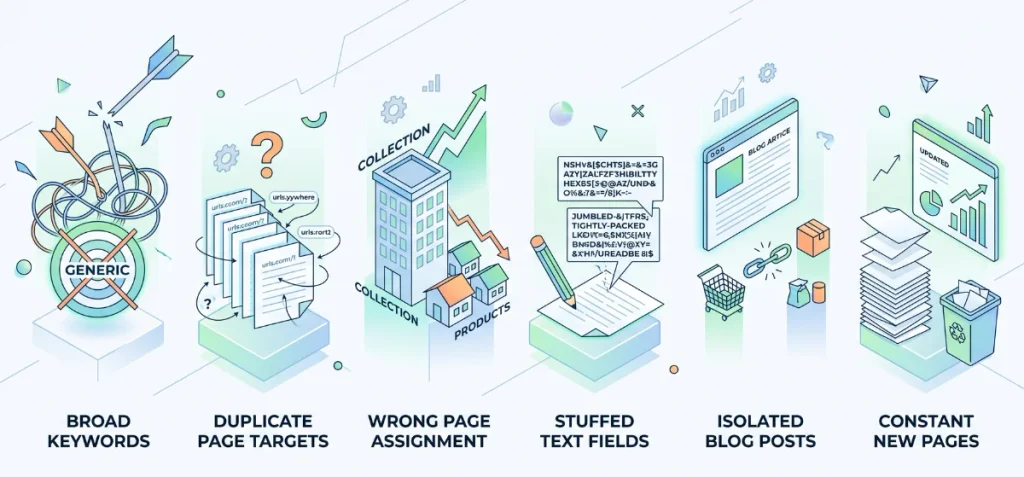
Avoid these common optimization traps to keep your organic store traffic growing steadily.
- Broad keyword targets: Store owners waste effort on generic terms. Specific, high-intent phrases bring better sales.
- Duplicate page targets: Never assign one search term to multiple URLs. Google gets confused and splits your rankings.
- Wrong page assignment: Collection hubs rank far better for general terms. Save individual product pages for specific queries.
- Stuffed text fields: Keep keyword placement natural. Forcing terms mechanically into titles or descriptions harms your ranking quality.
- Isolated blog posts: Add internal links to your content. High-traffic articles fail to drive revenue without direct links to product pages.
- Constant new pages: Refresh existing URLs with impression data first. Upgrading current pages yields faster results than drafting new posts.
When to Get Professional Shopify SEO Help
Basic SEO tasks are easy to handle yourself. However, complex technical issues require specialized experience to resolve safely without risking search visibility.
Consider expert assistance when facing these complex store challenges:
- Mass URL migrations: Domain shifts require exact 301 redirect mapping to preserve search authority.
- Canonical URL conflicts: Duplicate collection paths confuse search bots and dilute rank power.
- Site architecture overhauls: Restructure store menus and collections to route link equity properly.
- Rank drops: Algorithm updates often trigger sudden traffic loss that requires deep log analysis.
If technical barriers are holding back your store’s growth, learn more about Copten Writer or contact Md. Jakaria Islam.
I have over 5 years of ecommerce SEO experience to help your store capture top rankings and drive sales.
FAQs
Is Shopify Still Worth It in 2026?
Yes, Shopify remains a top e-commerce choice in 2026. Store owners love its speed, rock-solid reliability, and beginner-friendly setup.
How to Rank for Certain Keywords?
Find targeted search terms using Google Keyword Planner. Place your primary phrase naturally in the page title, product description, URL handle, and meta tags. Finally, build authoritative backlinks to strengthen page ranking signals.
How Long Does It Take for Shopify to Rank for Keywords?
Most Shopify stores see initial search movement within 3 to 6 months. Low-competition terms rank faster. Highly competitive keywords often require 6 to 12 months of consistent optimization and link building to reach page one.
How Many Keywords Should I Target on One Shopify Page?
Focus on one primary keyword and 2 to 3 related long-tail terms per page. Single-topic alignment matches search intent cleanly without confusing search engine crawlers or overloading title tags.
Should I Target a Keyword on a Product or Collection Page?
Let shoppers’ intent guide your choice. Pick collection pages for broad terms like “leather boots” so buyers can browse multiple options. Reserve product pages for specific items with exact model names, colors, or sizes.