
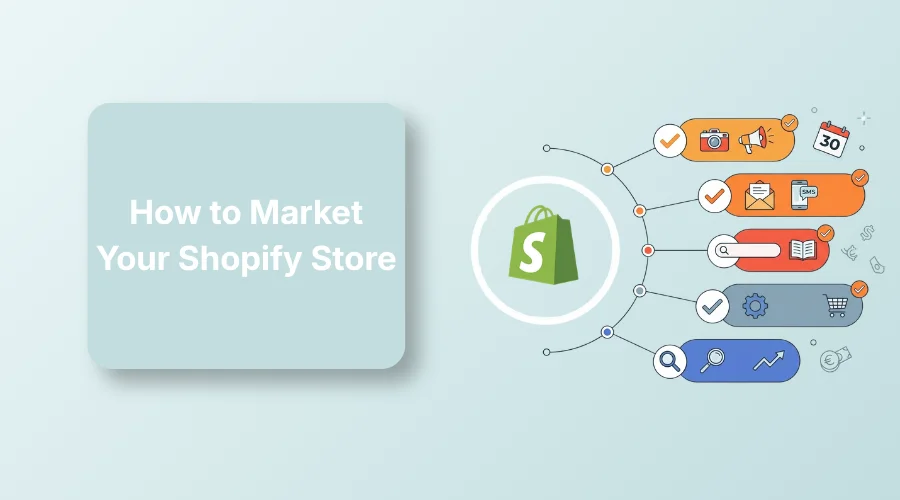
To market your Shopify store, combine free acquisition channels such as SEO, Google free listings, social media, and communities with paid channels such as Google Ads, Meta Ads, and retargeting. Start with one or two channels that match your products and audience, then use email, reviews, and offers to turn visitors into repeat customers.
Many store owners struggle to figure out how to market Shopify store products without wasting money.
Some run paid ads and watch their budgets disappear without sales. Rising ad costs and zero daily orders burn through your budget fast.
Read ahead to explore 10 growth tactics, store pre-checks, a channel decision table, and a 30-day marketing plan.
Things to Do Before You Market a Shopify Store
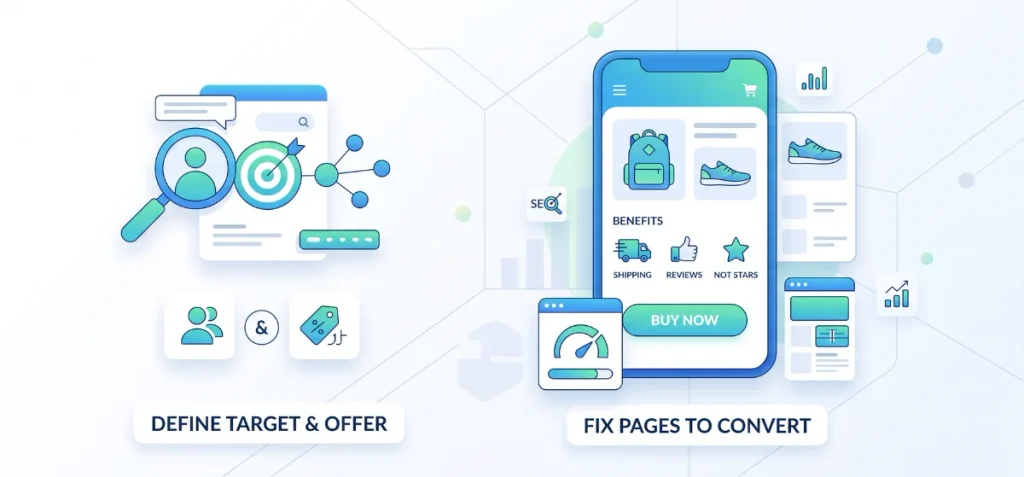
Many Shopify stores waste money by sending paid traffic to weak product pages. You shouldn’t do the same. Instead, fix your store foundation first so visitors actually buy.
Define Your Target Customer and Offer
Know exactly who needs your product. Identify the precise problem your item solves for them. State why a buyer must pick your shop instead of a competitor. Pick one clear conversion goal for your store, such as a direct product purchase.
Fix the Pages Customers Land On
Your product pages must convert visitors right away. Write clear titles and descriptions that explain real benefits.
Also, ensure you have high-quality product images on your store, as they build instant interest. Add real customer reviews and rating stars to show proof. Display clear shipping rates and simple return rules.
Make sure your store loads fast on mobile phones. Place a visible button to complete the purchase without confusion.
If you manage a large inventory with complex collections, read our Shopify Plus SEO Guide to clean up duplicate URLs before running campaigns.
Need expert help optimizing your store layout?
Explore our full Shopify Marketing and Content Services to build a conversion-ready store.
10 Ways to Market Your Shopify Store
Pick one or two of these tactics to build steady sales for your store.
1. Get Organic Traffic with Shopify SEO
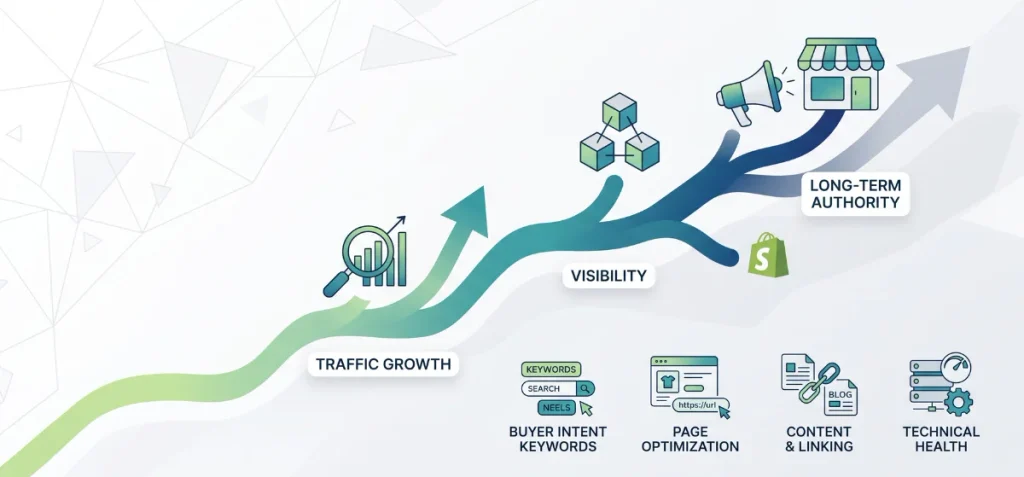
Search engine optimization brings buyers to your store without daily ad costs. SEO works as a compounding channel. Traffic grows over time instead of stopping when your ad budget ends.
Focus your keyword research on buyer intent. Target terms shoppers search for when they want to buy.
Optimize your collection and product pages around those exact words. Write clear product titles, clean descriptions, short URLs, and precise image alt text.
Link your blog posts directly to main collections. Write helpful guides that answer real customer questions.
Clean up technical basics early. Keep sitemaps simple, clean your canonical tags, and maintain fast mobile speeds.
Follow Google Search Central guidelines for e-commerce data. Use product structured data so search engines show your prices, stock status, and star ratings. Monitor indexing issues inside Google Search Console.
A clean SEO setup builds long-term authority. You can naturally learn how to market Shopify store online while driving free traffic.
Merchants with large catalogs should check our Shopify Plus SEO Guide to learn more about e-commerce SEO.
2. Promote Your Products on Google for Free
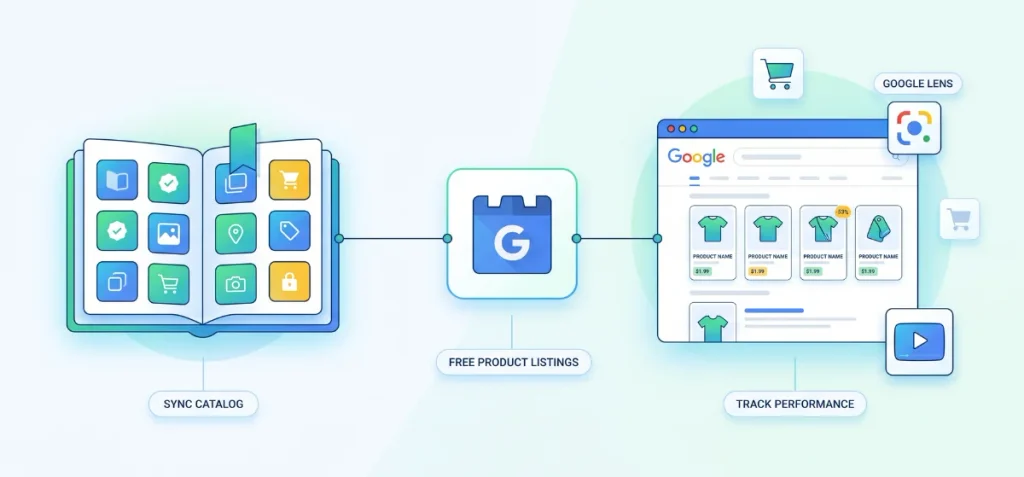
Google lets eligible merchants display products across search results without paying for ads. You can sync your catalog directly using Shopify’s Google & YouTube app. This connection pushes your items to Google Merchant Center automatically.
Free product listings appear across Google Search, Google Shopping, Google Images, YouTube, and Google Lens. Success on these surfaces depends on your product feed quality.
Provide accurate product titles, detailed descriptions, high-resolution images, and complete product attributes like GTINs and brand names.
You need to know how to promote Shopify store on Google using clean data. Google rates listings based on product relevance and data quality.
Free listing placement is never guaranteed. High-quality data helps Google match your products with active buyers.
Track your performance inside Google Merchant Center to fix broken feed items fast. Need help connecting your product feed or tracking campaign performance?
You can build custom tracking links using our free Shopify UTM Generator to measure your traffic accurately.
3. Promote Your Shopify Store on Social Media
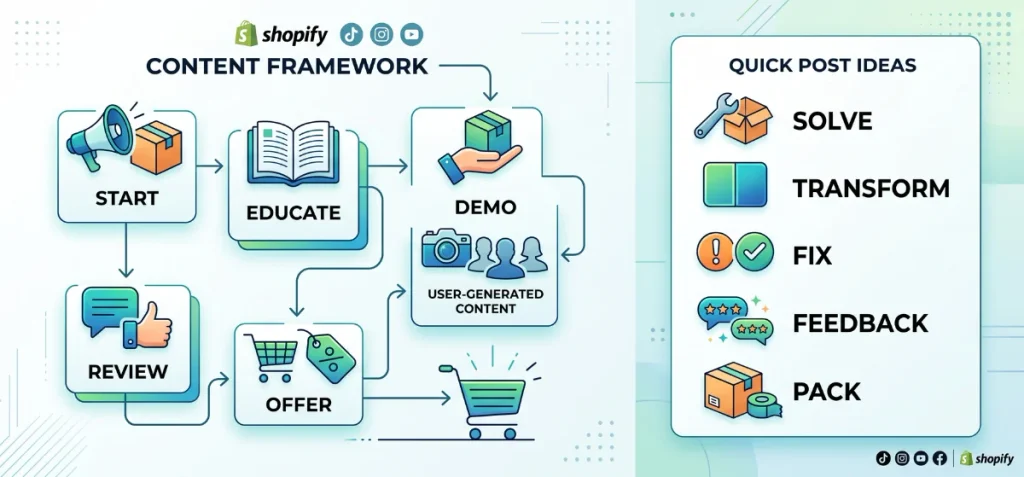
Social media gives your store free exposure if you post with a clear plan. Focus your attention on Instagram Reels, TikTok, and YouTube Shorts. You can also pin products on Pinterest or post inside Facebook groups.
Skip random posting. Use a simple six-step content engine that leads buyers straight to checkout:
Product → Educational content → Product demonstration → UGC → Testimonial → Direct offer
Start with your product. Teach your audience something useful about your niche. Show the item in action.
Share real user-generated content (UGC) and customer reviews to prove your item works. Finish with a solid discount code to close the sale.
Shopify guides strongly recommend TikTok, short videos, and customer reviews to land your very first sales. Authentic behind-the-scenes content makes your business feel human and reliable.
You can learn how to promote your Shopify store on social media much faster when you stick to this content framework.
What Should I Post?
Try these 5 quick content ideas to fill your calendar:
- Product demonstrations: Film your item fixing a daily problem.
- Before/after: Display a clear transformation photo or video.
- Problem/solution: Address a common buyer headache and show your quick fix.
- Customer reviews: Post genuine buyer feedback over product shots.
- Order packing: Show real customer packages going out the door.
4. Advertise Your Shopify Store with Meta Ads
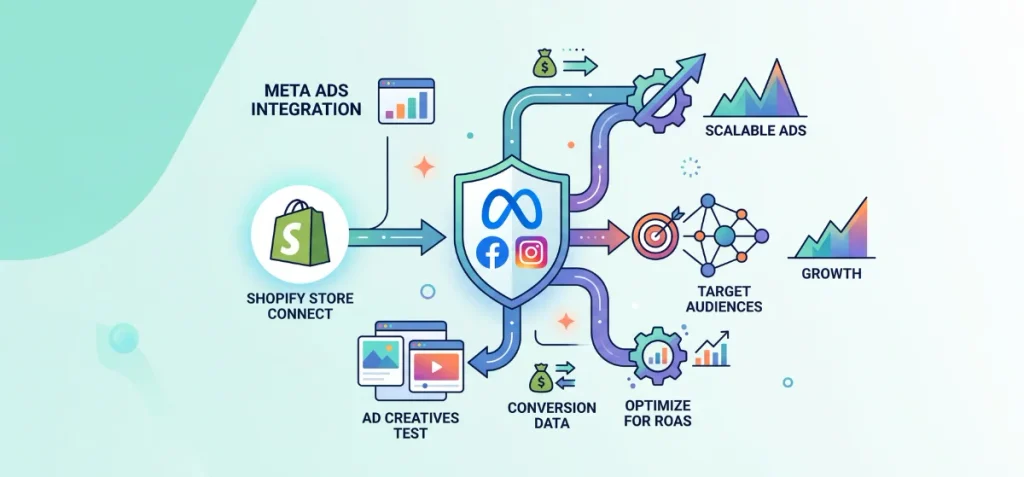
Meta Ads combine Facebook and Instagram into a single advertising engine. Success requires a focused strategy rather than broad ad spend across multiple products.
Select the ‘Sales’ objective in Meta Ads Manager when your goal is real orders. Pick one hero product or a tight group of related items for your first campaign. Test multiple image formats and short video ads to see what gets clicks.
Set up the Meta Pixel and Conversions API to send accurate conversion data back to your dashboard.
Target warm audiences with retargeting ads, or reach new buyers using Advantage+ audience signals.
Focus on cost per purchase and ROAS instead of simple click counts. Scale your ad spend only after your campaigns show real profit.
Learn how to advertise my Shopify store on Facebook by running structured creative tests before spending heavy budgets.
Need help setting up scalable campaigns? I deliver custom Paid Ads and Meta Strategy Services designed for store owners.
5. Use Google Ads to Capture High-Intent Shoppers
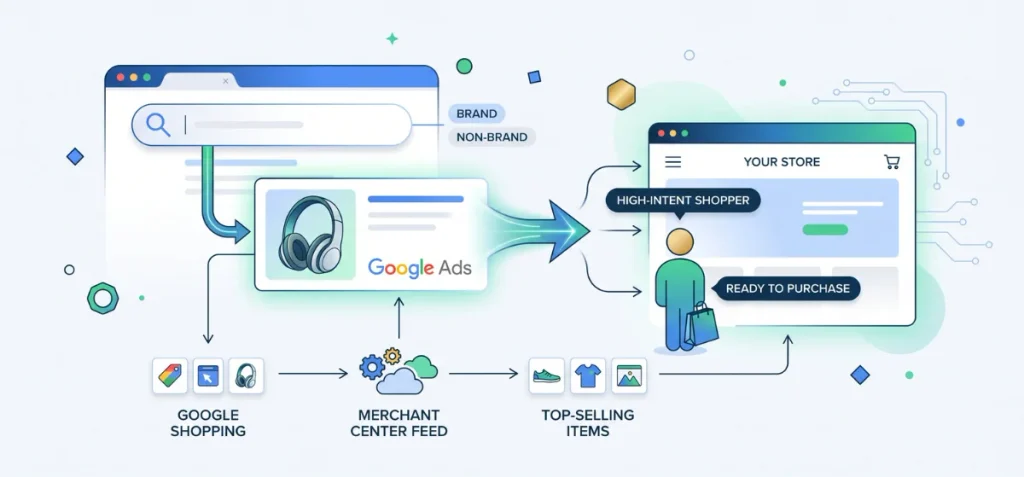
Google Ads capture buyers who are already searching for specific products. Social ads introduce items to casual scrollers. Search ads put your store directly in front of active shoppers ready to purchase.
Start with Google Shopping or Performance Max campaigns. These formats display your product photos, prices, and store name right at the top of search results.
Keep your product feed data clean and complete inside Google Merchant Center. High feed quality helps Google show your items for exact search queries.
Run Google Search Ads for high-intent keywords. Separate your campaigns into brand and non-brand keywords. Brand campaigns capture people who search for your exact store name. Non-brand campaigns reach shoppers who search for generic product categories.
Focus your initial budget on a small set of top-selling items. Track conversion value and return on ad spend (ROAS) rather than simple traffic volume.
Shopify guides highlight Google Shopping Ads as one of the best tools to capture immediate search demand for new stores.
6. Use Creators, Affiliates, and Shopify Collabs
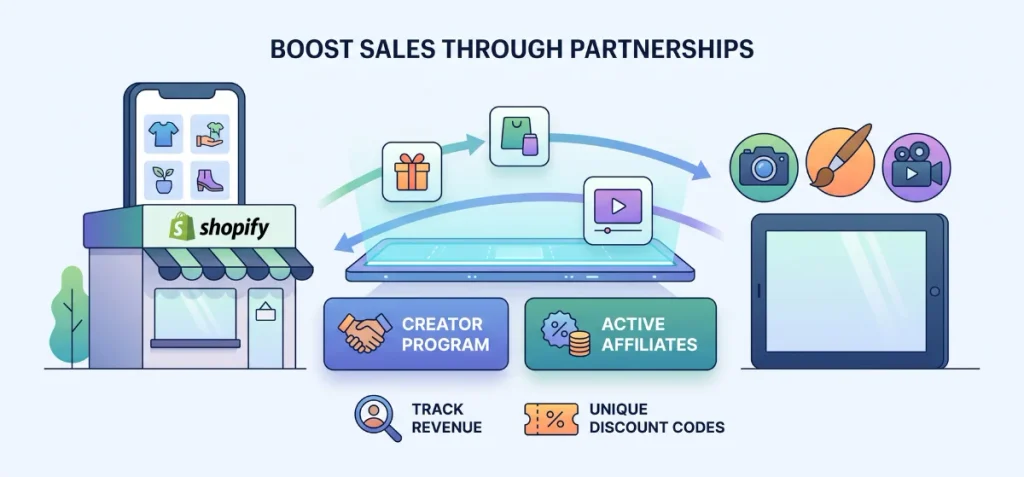
Creators can help you promote your products effectively. Focus on micro-influencers with smaller, highly engaged follower bases. Send free product gifts in exchange for honest video reviews and creative posts.
Offer sales commissions to turn happy creators into active affiliates. Give each partner unique discount codes to track their performance.
Creator-generated content often converts better than polished brand ads. Product gifting can also lower upfront customer acquisition costs for low-cost items.
Use Shopify Collabs to manage your creator program. It lets merchants invite creators, set commission rates, share discount codes, and track revenue.
Note that Shopify Collabs currently limits new creator signups, but store owners can still send direct invites and review partner applications.
7. Build an Email and SMS Marketing Loop
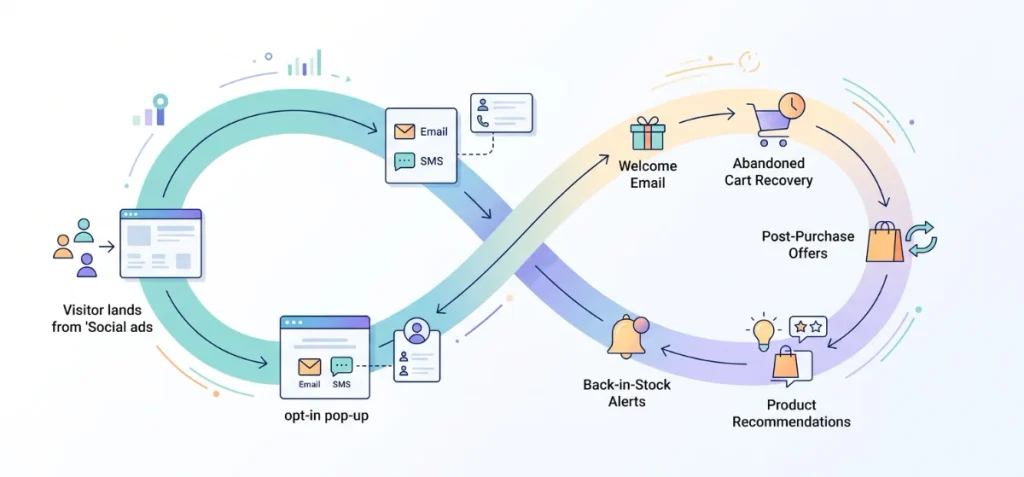
Social ads bring new visitors to your site, but email and SMS turn those visitors into repeat buyers. Think of email as a reliable revenue funnel instead of a simple newsletter.
Your marketing engine should follow a clear path. A visitor lands on your store. An opt-in pop-up captures their contact details.
A simple welcome sequence introduces your brand. Automated messages recover abandoned carts, while post-purchase emails bring customers back for future orders.
Set up basic automated messages right away. Send a quick welcome email with a small discount.
Trigger abandoned-cart reminders when shoppers leave items behind. Add back-in-stock alerts and product recommendations to boost sales over time.
8. Use Offers, Bundles, Referrals and Reviews
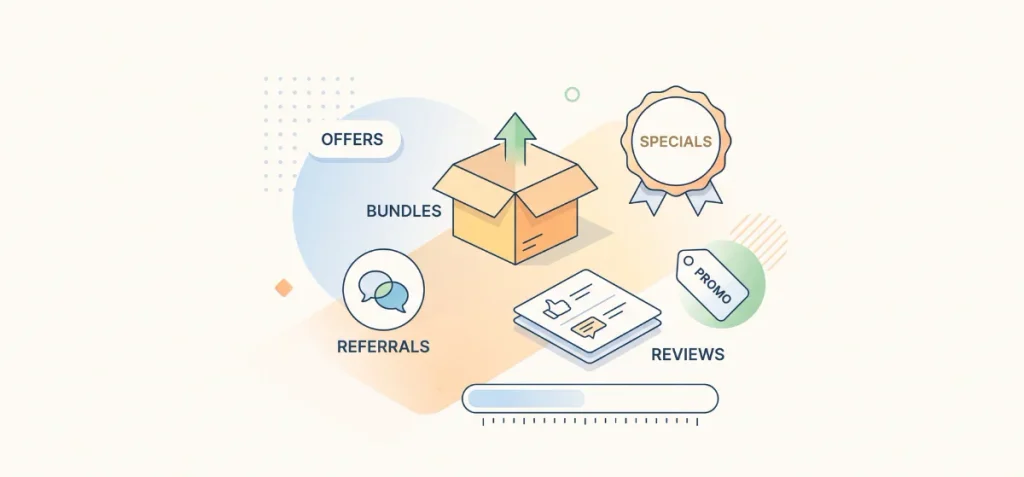
Getting visitors to your site is only half the battle. You also need smart offers that encourage shoppers to buy before they leave.
Start with a simple first-order discount to turn hesitant visitors into paying customers. Combine related items into product bundles or set up quantity discounts to raise your average order value.
Run limited-time sales to build instant urgency without cutting into long-term profit margins.
Social proof plays a massive role in closing sales. Display customer reviews, star ratings, and real photos right on your product pages. Set up a simple referral program so happy buyers earn store credit when they invite friends.
Smart pricing makes all the difference when setting up your first promotions. Check your margins with our free Product Selling Price Calculator before launching discount campaigns.
You can also build urgency on your product pages with our free Shopify Countdown Timer Tool to boost checkout rates fast.
9. Promote Your Store Through Communities and Partnerships
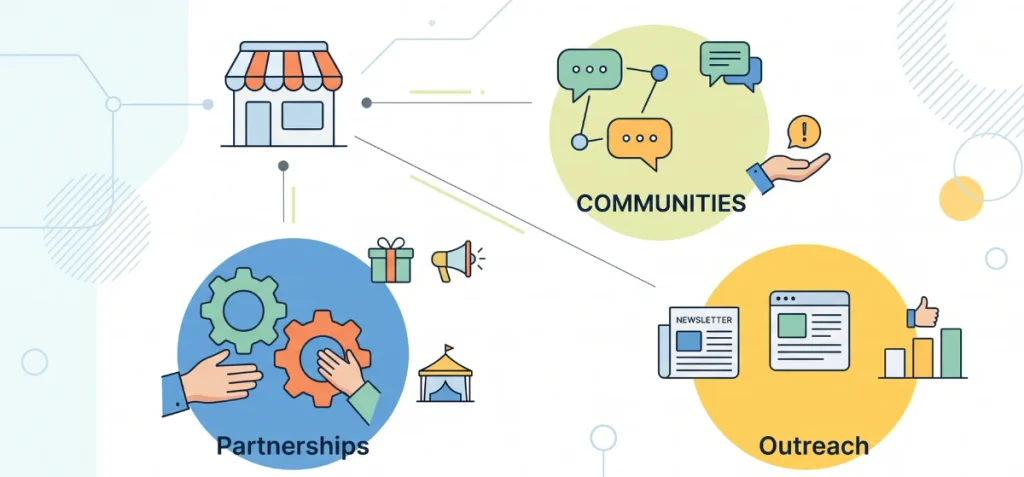
New stores with small ad budgets need smart organic tactics. Online groups give you direct access to active buyers without running paid ad campaigns.
Join relevant discussions on Reddit, Facebook Groups, and niche forums. Never spam these communities with direct sales links.
Useful advice builds real authority inside the group. Share your store link only when it truly solves a user’s question.
Reach out to industry newsletters for product features. Pitch guest blog content to established sites in your niche. Send free items to niche bloggers to collect authentic product reviews.
Partner with non-competing brands that serve your target audience. You can co-host online giveaways, swap email mentions, or run joint local pop-up events.
Shopify guides highlight communities, product reviews, word-of-mouth, and brand partnerships as the best path forward.
You can learn how to promote your Shopify store for free by staying active in public spaces where your target customers spend time.
10. Retarget Visitors and Previous Customers
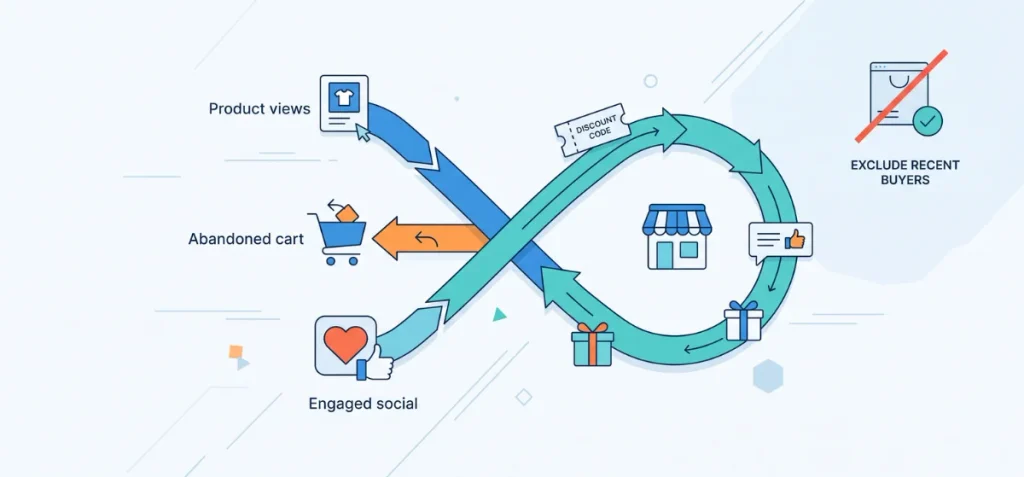
Many visitors leave your store without buying on their first visit. Retargeting ads bring those interested shoppers back to finish their order.
Segment your audience based on store activity:
- Product viewers: Show the exact items shoppers looked at to trigger interest again.
- Cart abandoners: Display special offers or reminders to buyers who left items behind.
- Engaged social users: Target people who saved your posts or interacted with your ads.
Exclude recent buyers from main ad campaigns so you don’t waste ad spend. Swap your standard ad graphics for warm audiences.
Use customer reviews, unboxing videos, or direct discount codes instead of generic product shots. Bring past customers back with cross-sell offers and relevant product updates.
How to Choose the Right Shopify Marketing Channel
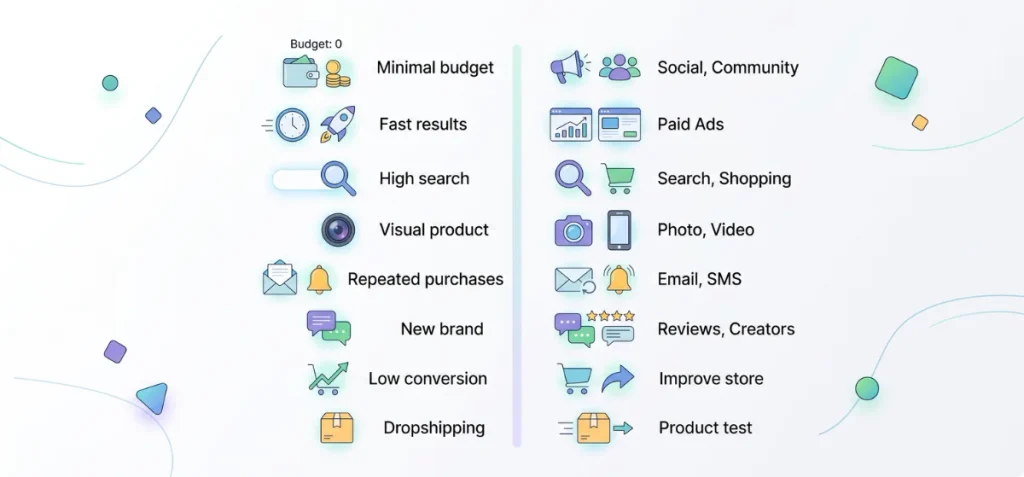
Select your primary channel based on your budget, product style, and store goals. Focus on one or two channels that fit your current business stage.
Use this simple decision table to pick your best starting path:
| Your Situation | Best Starting Channel |
| No marketing budget | SEO + social + communities + free Google listings |
| Need traffic quickly | Meta Ads or Google Ads |
| Product has strong search demand | Google SEO + Google Shopping |
| Highly visual product | Instagram + TikTok + creators |
| High repeat-purchase potential | Email + SMS + loyalty |
| New or unknown brand | UGC + creators + reviews |
| Low conversion rate | Fix product pages before increasing traffic |
| Dropshipping store | Product validation + Meta/TikTok + creators + SEO |
How to Market a Shopify Dropshipping Store
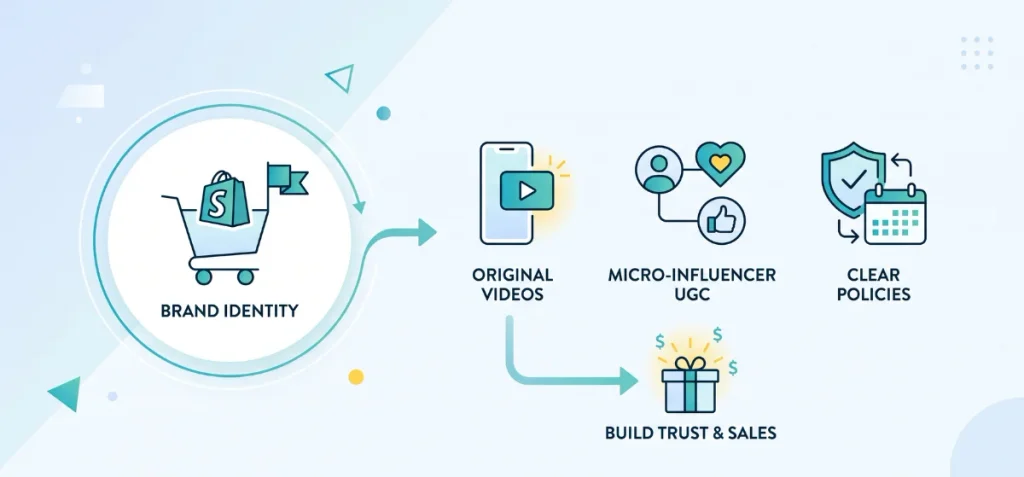
Dropshipping stores require a distinct marketing strategy because multiple sellers often sell the same item. You must stand out through strong branding, original video content, and transparent store policies.
Validate product demand before scaling paid ads. Order product samples directly to your home so you can film original videos and capture high-quality photos.
Generic supplier images fail to build trust with modern buyers. Use those physical samples to generate authentic short-form videos for TikTok and Instagram.
Build a clean, branded storefront instead of copying basic supplier pages. Focus your efforts on a single hero product or a tight niche at first. Partner with micro-influencers to create custom user-generated content (UGC).
Set up email capture forms right from day one to collect visitor contacts. Display clear shipping times and hassle-free return policies across your product pages. Buyers leave stores that hide shipping fees or delivery delays.
You can learn how to market your Shopify dropshipping store effectively by building long-term brand equity instead of running quick, spammy ad campaigns.
How to Track Whether Your Shopify Marketing Is Working
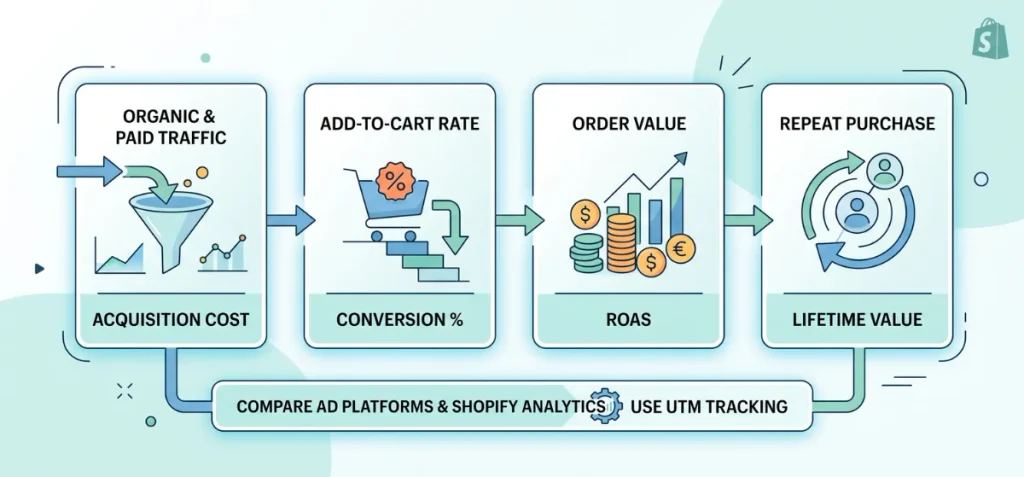
Tracking simple traffic numbers hides the real health of your store. Look at four specific performance areas to measure actual profit:
- Acquisition: Monitor organic traffic alongside paid traffic numbers. Watch your cost per click (CPC) and true customer acquisition cost (CAC).
- Conversion: Track your main store conversion rate, add-to-cart rate, and checkout completion percentage. These numbers show exactly where buyers drop off.
- Revenue: Review average order value (AOV), total revenue by channel, and return on ad spend (ROAS).
- Retention: Measure repeat purchase rate, combined email and SMS revenue, and total customer lifetime value (LTV).
Avoid judging campaign success from one dashboard alone. Meta Ads Manager and Google Ads might take credit for the same sale.
Compare platform data directly against your Shopify Analytics reporting. Connect Google Analytics 4 and Google Search Console to monitor detailed user actions and search clicks.
Accurate tracking using our Shopify UTM Generator. It stops you from wasting budget on ads that bring clicks but no sales.
Shopify Marketing Plan for Your First 30 Days
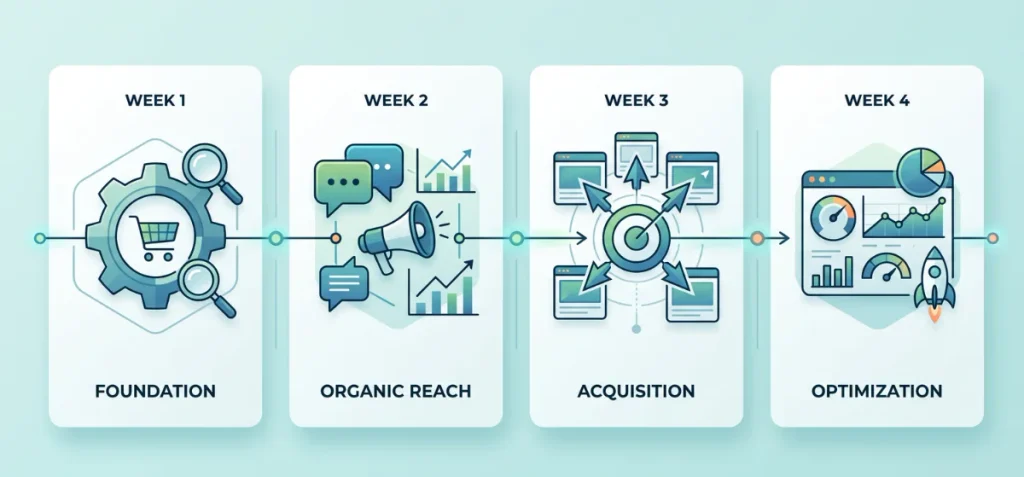
Action beats overthinking every single time. Execute this simple 30-day framework to build momentum for your store without feeling overwhelmed.
Use this compact roadmap to guide your daily tasks:
| Time | Main Objective | Actions |
| Week 1 | Foundation | Fix product pages, set up analytics, optimize SEO basics, and submit your catalog to Google Merchant Center. |
| Week 2 | Organic Reach | Publish high-intent blog content, upload short social videos, and answer questions in niche communities. |
| Week 3 | Acquisition | Launch small test campaigns on Meta Ads or Google Ads, or send product samples to micro-creators. |
| Week 4 | Optimization | Review store conversion data, launch basic retargeting ads, and allocate ad spend toward winning channels. |
Start Promoting Your Shopify Store
You can learn how to market Shopify store products successfully with clear tests and steady work. Nobody needs to launch every strategy today.
Fix your product pages first to build real buyer trust. Pick one or two channels that fit your budget and brand goals. Track your results carefully.
Stop campaigns that lose money, and double down on winning channels. Action creates momentum. Pick your starting path and launch your first campaign today.
FAQs
How Do I Attract People to My Shopify Store?
Attract store visitors using paid ads, short social videos, and search optimization. Target buyers on Meta, post product demos on TikTok, and build an email welcome sequence to capture sales.
What Sells Fast on Shopify?
Apparel, skincare, and health supplements consistently rank among the fastest-selling product categories on Shopify. Niche home gadgets and trending beauty items also move fast when paired with targeted social ads.
How to Get Your First Sales on Shopify?
Build buyer trust with clean product pages, clear return policies, and high-quality photos. Reach out to your personal network first, then run targeted social campaigns to land initial orders.
What Are the Trending Items for 2026?
Everyday apparel, skincare products, and wellness items lead Shopify sales in 2026. Home improvement tools, smart gadgets, and recovery gear like massage tools also show massive demand.
Why Do So Many Shopify Stores Fail?
Many Shopify stores fail due to low market demand, poor website design, and high ad costs. Bad unit economics and low conversion rates also cause new businesses to run out of cash.