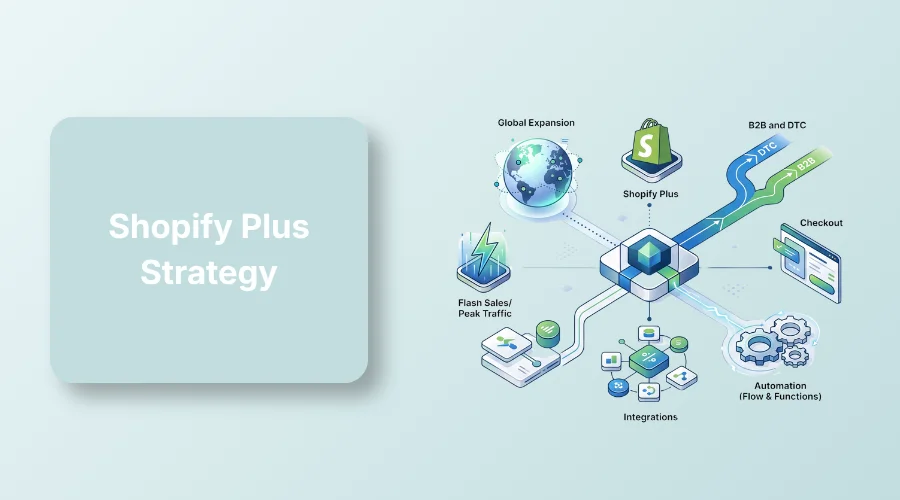
A Shopify Plus strategy is a structured roadmap for high-volume merchants. It aligns multi-store setups, B2B wholesale, custom checkouts, and automated workflows with core business goals to maximize ROI.
A strong Shopify Plus strategy helps high-volume brands grow without breaking their store operations.
Standard Shopify setups work fine early on, but they struggle when order volumes spike, B2B orders increase, or global buyers start visiting.
Store owners often try to fix these problems with dozens of third-party apps. That approach backfires quickly, slowing down your website and burning through your monthly budget.
This guide outlines a clear strategy to scale your store. You’ll learn how to activate key features, manage multiple storefronts, and boost overall sales.
What is a Shopify Plus Strategy?
A Shopify Plus strategy is a clear roadmap designed to handle operational complexity. High-volume brands use this plan to align platform capabilities with specific business goals.
Standard Shopify growth focuses on basic marketing and product uploads. In contrast, a Plus strategy manages complex organizational needs.
It coordinates multi-store setups, international regions, wholesale B2B sales, custom automation, and enterprise software integrations.
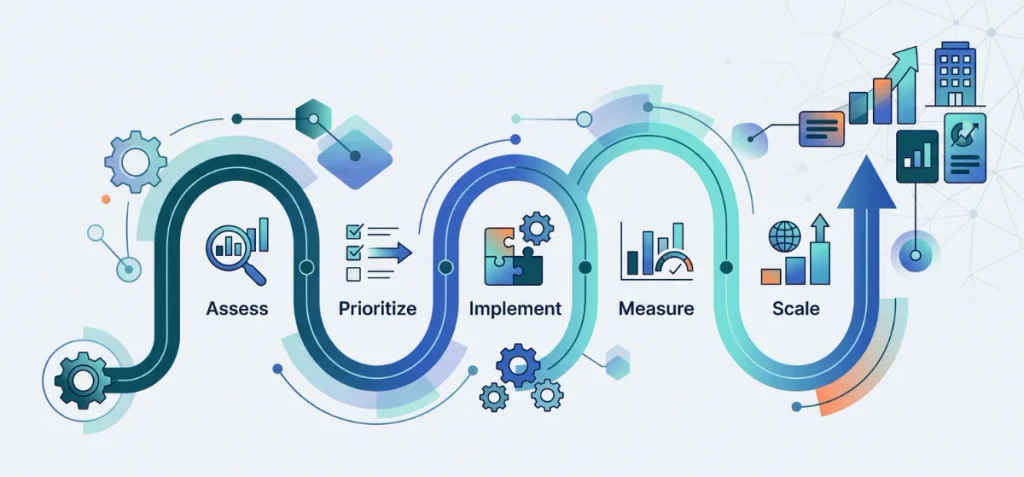
You can execute this strategy through a five-step framework:
- Assess: Audit your operational bottlenecks, team workflows, and global growth needs.
- Prioritize: Select the platform tools that directly solve high-cost problems.
- Implement: Build custom checkouts, automated workflows, and backend system connections.
- Measure: Track clear efficiency and revenue targets to justify platform costs.
- Scale: Expand into new regions, brands, and sales channels without added team friction.
Is Shopify Plus Right for Your Business?
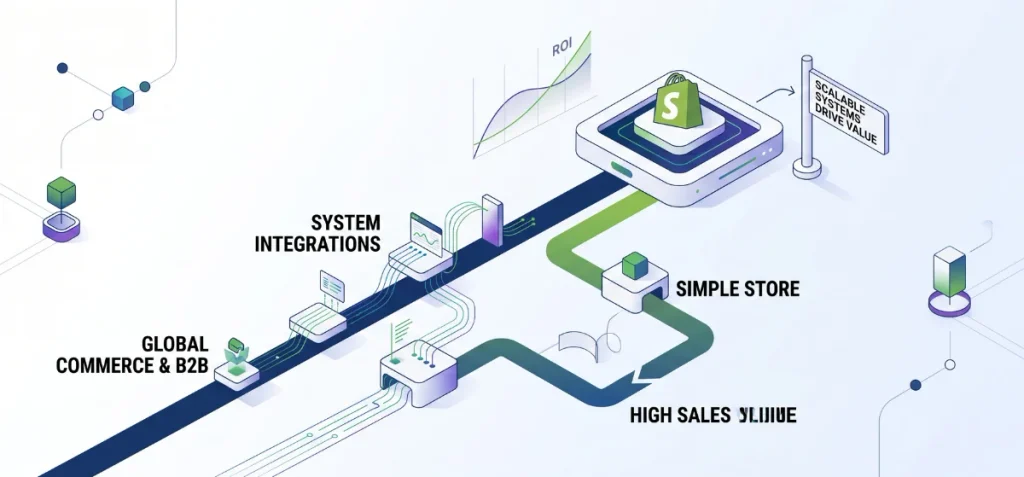
Many store owners think high revenue means you must upgrade. That is a mistake. Sales numbers alone shouldn’t force your decision.
Platform fit and total cost of ownership matter much more. Use this quick table to check your readiness:
| Business Situation | Plus Fit |
| Single store with straightforward operations | Usually low |
| High-volume DTC brand | High |
| Multiple international markets | High |
| B2B + DTC operation | High |
| Multiple brands or storefronts | High |
| Complex ERP, CRM, or 3PL ecosystem | Potentially high |
| Wants Plus mainly for prestige | Low |
Operational complexity drives the need for Plus. Look closely at your daily workflow. Do you manage custom wholesale pricing? Do you sell across multiple international regions? Are manual tasks slowing down your staff?
Your decision must balance six key factors: sales volume, operational complexity, international expansion, B2B needs, integration requirements, and expected return on investment.
Upgrading makes sense only when the financial and operational gains outweigh the monthly platform cost.
If you are just starting or testing new channels, standard plans work great. Check out our guide on how to start a Shopify store to build a solid foundation before making the enterprise jump.
Shopify Plus Strategy: 7 Core Growth Pillars
These seven pillars turn advanced features into predictable revenue.
1. Build a Global Expansion Strategy
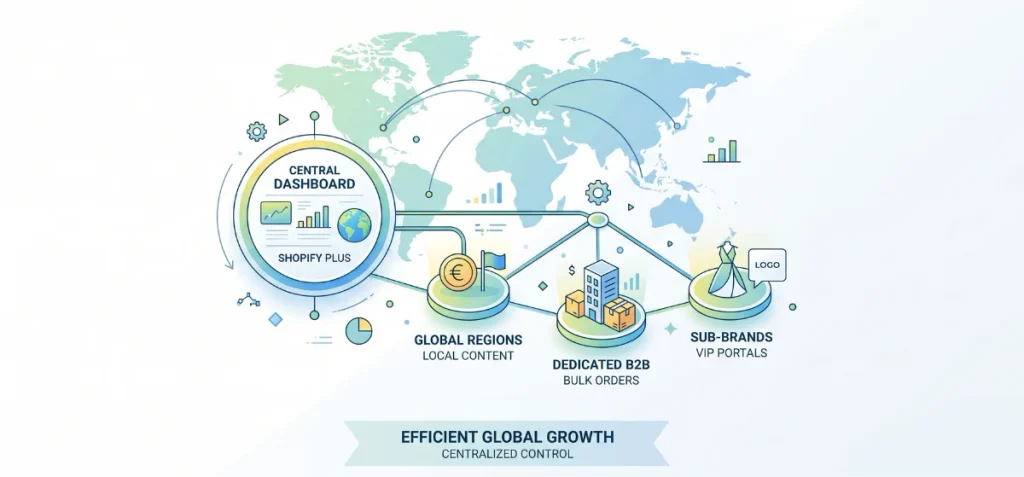
Global growth demands localized shopping experiences. The base Shopify Plus plan includes nine expansion stores.
You can use these extra storefronts for distinct international regions, dedicated B2B hubs, separate sub-brands, or VIP member portals.
Shopify Markets lets you handle currencies, domain settings, and localized content from one central dashboard.
However, launching new stores adds management work. Avoid creating extra storefronts simply because the capability exists.
Open a new expansion store only when specific market needs demand distinct product catalogs, local payment logic, or separate inventory rules.
Centralized organization settings help your team manage staff permissions, store assets, and generate reports across all locations without administrative chaos.
This setup keeps operational costs low while expanding your brand’s reach across global markets. Compared to standard Shopify plans, these enterprise features give growing brands absolute control over regional buyers.
2. Unify Shopify Plus B2B and DTC
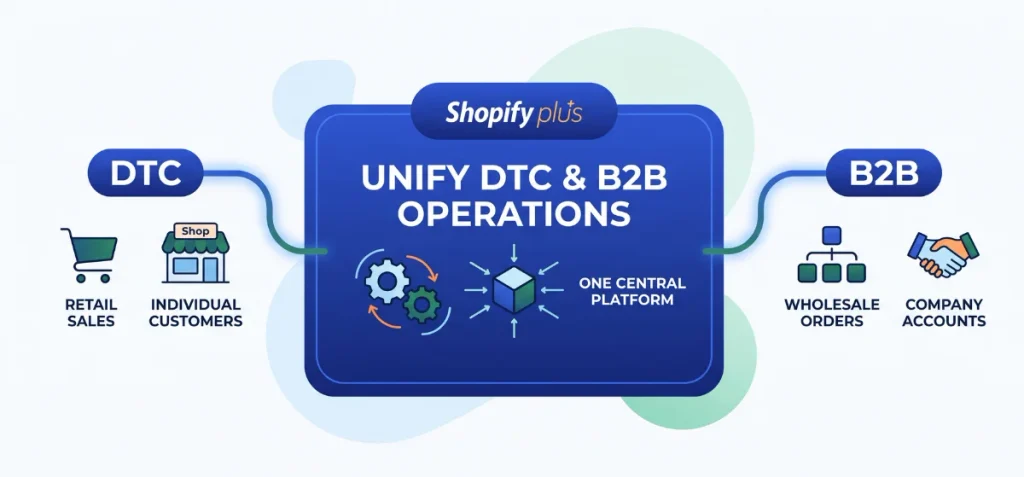
Running separate sites for wholesale and retail splits your data. It doubles your team’s daily workload. Shopify Plus fixes this issue by running B2B and DTC operations inside one central platform.
You can create distinct company profiles, manage multiple locations, and assign customer-specific catalogs. The system lets you lock down custom pricing, enforce quantity rules, and set net payment terms instantly.
Wholesale buyers get a dedicated B2B checkout with self-service ordering, quote requests, and invoice reviews.
Standard plans include basic wholesale tools. However, Plus unlocks higher-level power like unlimited catalogs, direct location assignments, initial deposits, and partial payments.
Activate these advanced features when your wholesale operations grow complex. If you need help structuring your store for both audiences, explore our core e-commerce services to optimize your setup.
3. Turn Checkout Into a Conversion Strategy
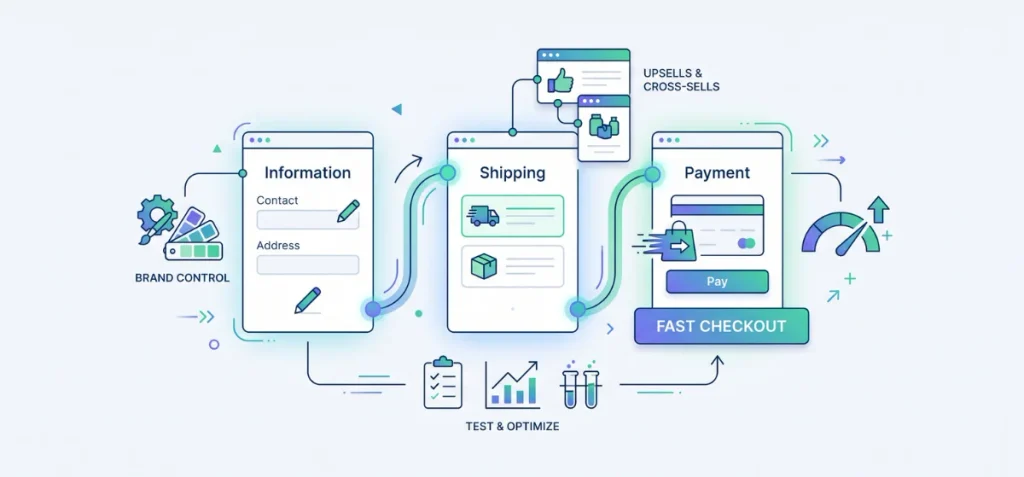
Standard checkouts limit your sales potential. Shopify Plus gives you full control through Checkout Extensibility. This feature replaces older, clunky scripts with secure code.
You can customize your brand fonts, colors, and layout without breaking core functions. Add high-converting checkout UI extensions across the information, shipping, and payment steps.
Present target upsells, offer relevant cross-sells, or show custom B2B payment fields right when buyers check out.
Shop Pay speeds up transactions by saving user details for one-click purchases. This smooth flow cuts checkout friction and keeps buyer drop-off low.
Never add custom elements just for visual decoration. Every tweak must fix a real conversion barrier or clear an operational speed bump. Test each change carefully to keep your buyer path quick and clear.
If you want to squeeze more revenue from your existing traffic, check out our expert conversion rate optimization service to build high-converting shopping flows.
4. Automate Operations with Shopify Flow and Functions
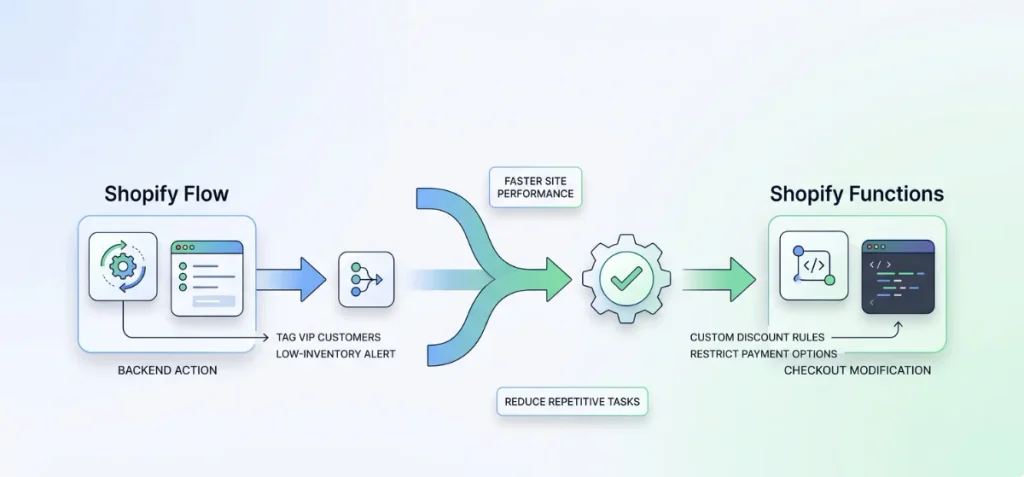
Manual tasks waste time and slow down growth. Shopify Plus removes operational bottlenecks by combining two distinct built-in tools: Shopify Flow and Shopify Functions.
Shopify Flow handles backend operational automation. You can set rules to flag high-value orders, tag VIP customers, trigger low-inventory alerts, and run B2B approval workflows without manual input.
Shopify Functions handles backend custom business logic. Functions let you build custom discount rules, hide specific shipping methods, or restrict payment options during checkout at native platform speed.
Combining these tools eliminates human error and saves developer budget. You get faster site performance while your team spends less time on repetitive tasks.
5. Use APIs and Integrations to Remove Operational Bottlenecks
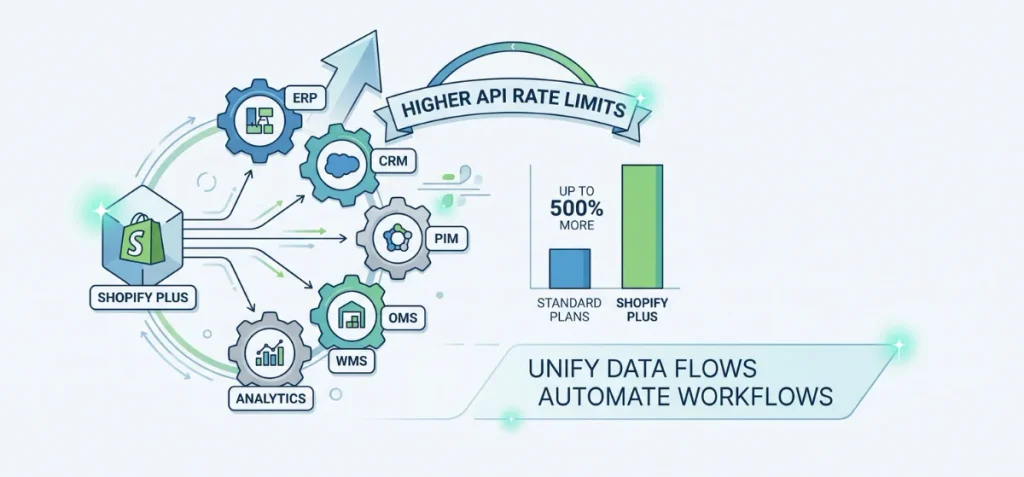
Isolated business data causes fulfillment delays and stock errors. Shopify Plus solves this friction by connecting seamlessly with your primary enterprise software.
You can sync your store directly with an ERP, CRM, PIM, OMS, 3PL, WMS, or analytics platforms.
Plus provides up to 500% higher API rate limits than standard plans. This massive bandwidth allows heavy data flows between systems without crashing your connection or slowing store performance.
Deep integrations make sense when manual data entry hurts your order fulfillment speed or inventory accuracy. Never connect tools just because the API access exists.
Ask one simple question: which daily business process does this integration improve? Focus only on connections that automate workflows and cut operating expenses.
6. Build a Peak-Sales and Launch Strategy
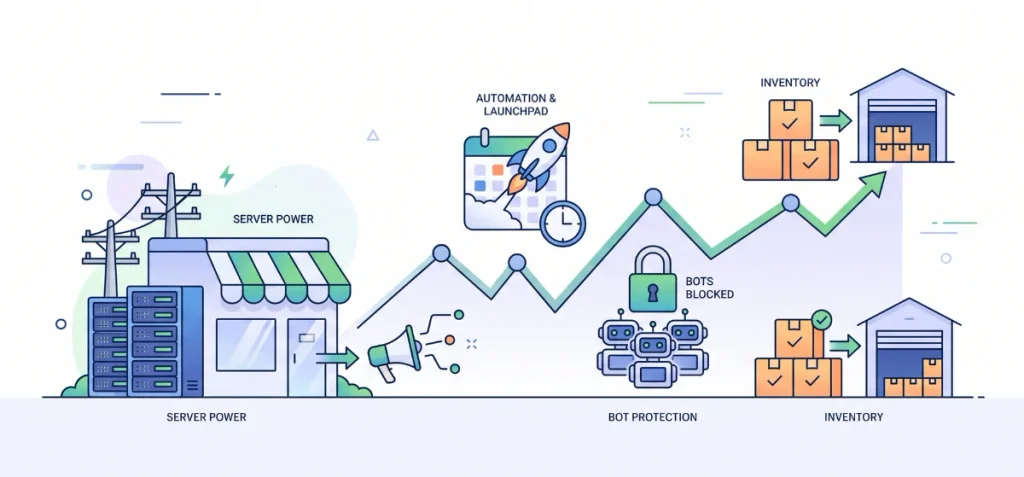
Huge traffic spikes often crash regular stores. Shopify Plus gives you strong server power to handle massive order volume during flash sales, product drops, and Black Friday/Cyber Monday events.
You get exclusive access to Launchpad. This tool lets you schedule price cuts, publish new themes, and launch product collections automatically. Your team doesn’t need to stay up until midnight to start a sale.
Shopify Plus also protects your site from unfair buying bots. It keeps your store online and processes thousands of orders per minute without crashing.
Prepare your stock early so you don’t run out. Automate your sales campaign to keep event days stress-free.
Pushing heavy traffic to your sales takes smart planning. Check out our paid ad management on our services page to bring ready-to-buy shoppers to your next big release.
7. Make SEO, CRO, and Analytics Part of the Plus Strategy
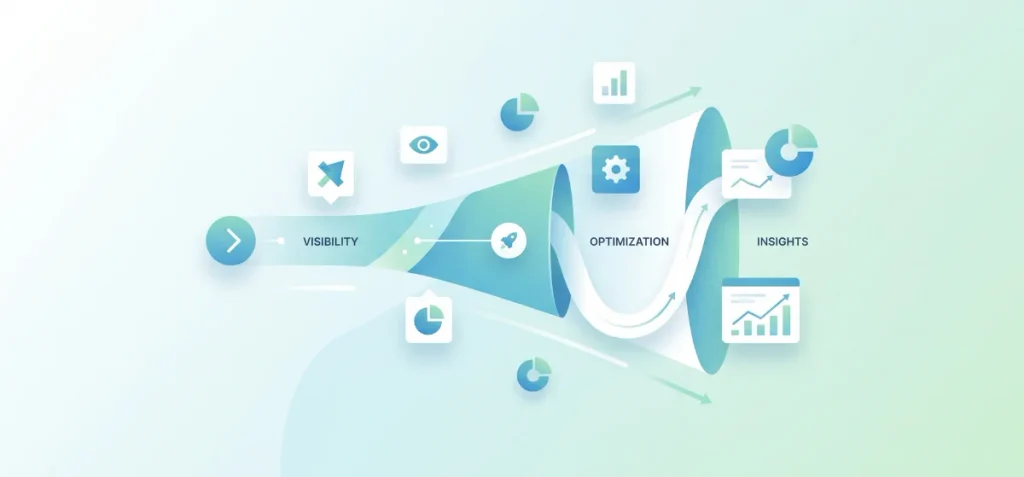
Upgrading to Shopify Plus doesn’t bring free traffic or sales. Enterprise platform tools only set the stage. You still need search visibility, steady site optimization, and strong customer acquisition to earn high returns.
Start with solid technical SEO. Fix collection layouts, refine product copy, and clean up site architecture. Fast site speeds keep rankings high across mobile screens.
Use our free Shopify SEO Word Counter to optimize store copy, or review our detailed Shopify Plus SEO guide to structure your storefront.
Prepare your store for modern AI search engines. Expand beyond traditional Google queries with our specialized AEO and AI optimization services.
Track your performance data accurately. Connect Google Analytics 4 with Shopify Analytics to track sales funnel drop-offs. Run simple landing page tests, target key buyer groups, and fix conversion bottlenecks.
If you want to scale organic rankings safely, check our complete SEO services to attract high-intent traffic.
Shopify Plus vs Shopify: Which Plan Is Better?
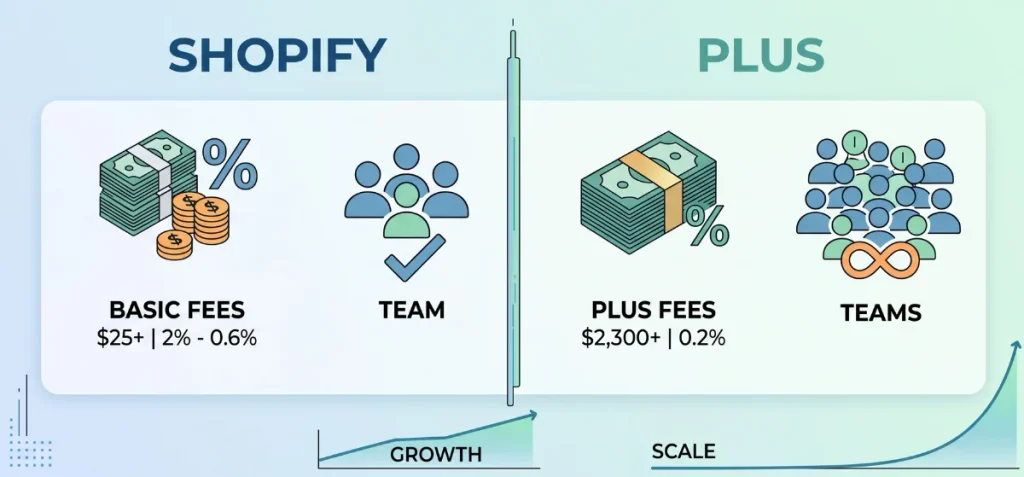
Compare the standard Shopify plans against the enterprise Shopify Plus plan to pick the right tier. Basic tiers suit small stores well.
High-volume brands need higher API capacity, custom checkout control, and multi-store power to manage heavy daily workloads.
Compare core features across standard tiers and enterprise options in this quick table:
| Feature | Basic | Grow | Advanced | Plus |
| Monthly starting price | $25 | $65 | $399 | Starts at $2,300 |
| 3rd-party payment fee | 2% | 1% | 0.6% | 0.2% |
| Staff accounts | 0 | 5 | 15 | Unlimited |
| Shopify B2B | Up to 3 catalogs | Up to 3 catalogs | Up to 3 catalogs | Unlimited catalogs |
| Free expansion stores | No | No | No | Up to 9 |
| Checkout customization | Limited | Limited | Limited | Full |
| API rate limits | Standard | Standard | Up to 2x select APIs | Up to 10x select APIs (Up to 500% higher) |
| Support tier | 24/7 Live chat | 24/7 Live chat | Enhanced live chat | Priority support |
| Plus-exclusive tools | No | No | No | Launchpad, Bot Protection, Combined Listings |
A direct comparison of Shopify Plus vs Shopify shows massive differences in scale. A low-tier option like Shopify Plus vs Basic fits simple setups with light order volume.
The enterprise level gives mature brands total control to run wholesale networks, global storefronts, and automated workflows without technical roadblocks.
How to Measure Your Shopify Plus Strategy
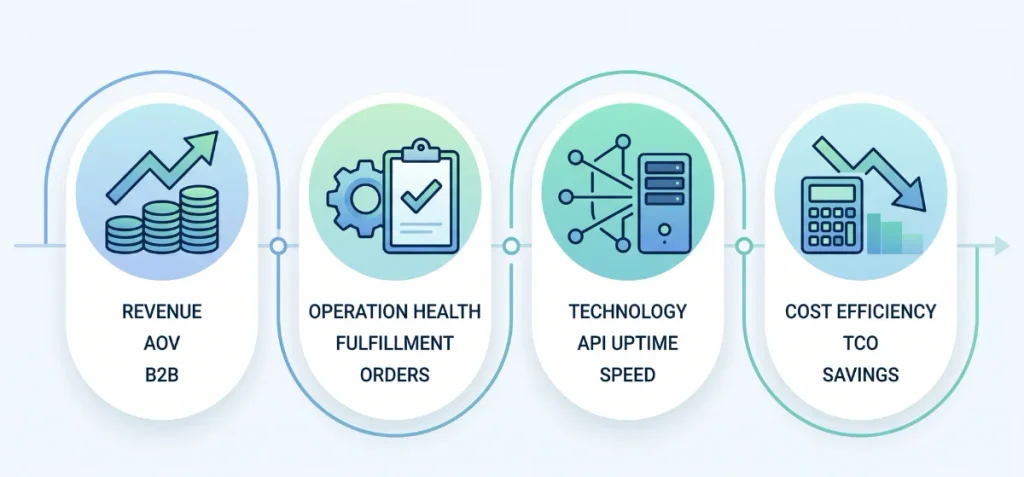
Tracking platform value requires clear business metrics. You need to look beyond simple traffic reports to verify true return on investment.
Use this practical KPI framework to measure store performance across four key pillars:
- Revenue Growth: Track conversion rate spikes, Average Order Value (AOV), total B2B revenue, and international sales expansion.
- Operational Health: Measure order processing times, fulfillment error rates, total manual tasks eliminated, and customer support ticket volume.
- Technology Reliability: Monitor API failure rates, mobile page performance scores, integration uptime, and update deployment speeds.
- Cost Efficiency: Calculate total developer hours saved, monthly app costs removed, cost per order fulfilled, and overall total cost of ownership (TCO).
Review these core figures every quarter. Consistent metric checks prove whether your enterprise setup yields real operational efficiency and net profit.
Shopify Plus Support: What Do You Actually Get?
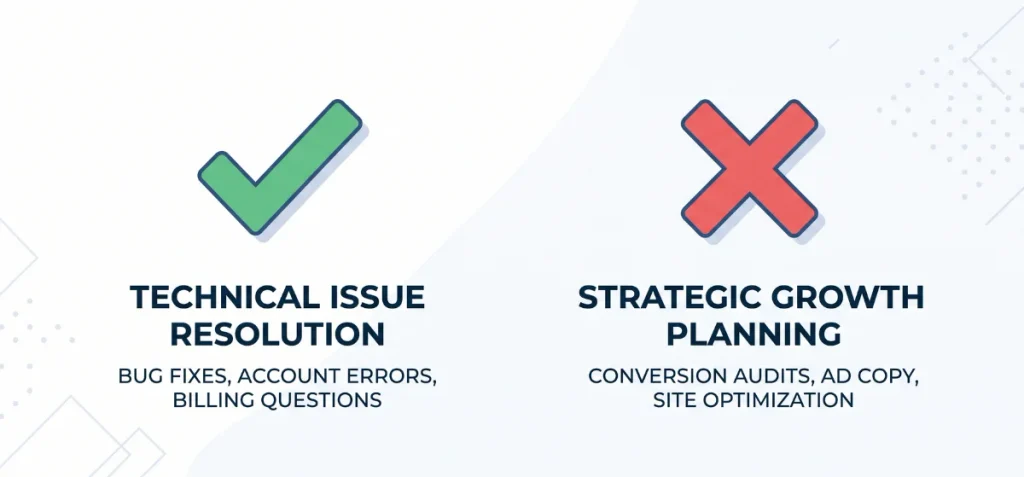
Platform support keeps your software running, but it won’t build your growth strategy. Shopify Plus gives merchants priority access to inbound phone support, email channels, and 24/7 live chat. Standard plans only offer basic live chat and email.
Support teams fix technical bugs, clear account errors, and resolve billing questions. However, basic customer support is not strategic consulting.
Shopify staff won’t audit your conversion funnel, write your ad copy, or optimize your site structure.
Growth requires dedicated strategic execution. If you need expert hands to fix store bottlenecks, grow search rankings, and increase sales, check our complete e-commerce services to build a winning roadmap.
When Should I Upgrade to Shopify Plus?
Do not upgrade without a clear Shopify Plus strategy. Enterprise plans cost money. You need real operational proof before you make the switch.
Ask yourself these five questions:
- Does store complexity slow down your team?
- Do you need multiple international stores?
- Do wholesale clients need custom B2B portals?
- Do manual daily tasks waste valuable staff hours?
- Will profit gains cover the platform costs?
Never upgrade just because your store feels ‘big.’ Make the move only when your economics demand it and your operational needs justify the shift.
FAQs
Is Shopify Still Worth It in 2026?
Yes. Shopify offers unmatched setup speed, high-converting Shop Pay checkout, and reliable servers that handle peak traffic spikes smoothly without store crashes.
Is Shopify Plus Worth It for My Business?
Yes, if you hit $1 million in yearly sales. Lower payment fees, native wholesale portals, and automated workflows offset the monthly base cost fast.
Why is Shopify Plus So Expensive?
Shopify Plus costs more because it delivers enterprise infrastructure. You pay for guaranteed uptime, priority support, custom checkout control, and nine free expansion stores.
Can You Make $10k a Month on Shopify?
Yes. Hitting $10,000 in monthly sales is realistic, but your net profit depends on ad spend, product costs, and fulfillment expenses.